

Theory
Going deeper: features, stages and confidence levels
When features belong on an outcome-based roadmap and how that differs from a feature roadmap, how to show stage of development and confidence levels without false precision, which extras each reader needs, and version 3 of CatChow's roadmap.
~11 min read · 12 exercises · 250 points
Before you start
How sure are we?
The roadmap you're building for CatChow has reached a new audience: Lucy and her engineers. Their first questions are which of these things they're actually building, and how sure the team is about them. Themes alone don't tell them.
In this lesson you'll bring features back onto the page without turning it into a feature list again, show each item's stage and the team's confidence without false precision, and finish version 3 of CatChow's roadmap.
Features sit under the theme they serve
The optional extras from Anatomy of a product roadmap earn a place only when a real reader needs them, and the first reader to ask is usually engineering: what are we actually building? Themes alone don't answer that. The fix isn't to turn the page back into a feature list, but to let features return in a different role.
On an outcome-based roadmap, a feature never stands on its own. It sits under the theme it serves, so the “why” stays visible above it. Reminder emails don't appear as a line in Now; they appear under “Subscribers never run out between deliveries”, as the solution the team is building for that need.
This is the deal from Outcomes over outputs made visible: commit to the outcome, choose the output. Engineering sees what's being built. Everyone sees that the feature is a means, so if reminders don't move the key result, the team can swap them without “cancelling the roadmap”. And no feature quietly replaces its theme. Leaving features off entirely isn't the answer either: it hides from the team what they're working on.
- DoNow · Subscribers never run out between deliveries → reorder reminders
The feature is visible, and so is its reason.
- Don'tNow · Reorder reminders
A feature on its own looks like the goal again.
Three good reasons for a feature to appear
A feature earns its place under a theme for one of three common reasons.
A likely solution: evidence points strongly to one answer. Reminders are an example: support hears the problem every week, and the cancellation reasons confirm it. A likely solution still needs to prove itself, but it gives the team a starting point.
Enabling work, judged as always by the key results it unlocks: a system need engineering has already turned into a concrete, vetted solution, such as the warehouse replacement.
Carryover: something the team started earlier and hasn't finished, such as the reminder emails begun in September. Hiding it would make the team look idle and the plan look emptier than it is.
Equally important is what isn't a reason. “Someone important wants it” and “a competitor launched it” are reasons to look at the need behind the request, not to put the feature on the page. Neither is “the column looks empty without it”. Until the pilot points to it, the clinic portal stays one candidate among several, not a feature on the roadmap.
- DoReminder emails: likely solution and carryover, started in September
Two real reasons, both visible.
- Don'tClinic portal under the clinic theme “because everyone knows it's the answer”
The pilot exists to find the answer; it hasn't yet.
- Don'tA breed-recognition feature because a rival launched one
A reason to study the need, not to add the feature.
The first-line test
Once features come back under themes, the page can slide back into a feature roadmap without anyone deciding it should. The output-versus-outcome contrast from Outcomes over outputs gives a quick check for that: the first-line test.
Read only the first line of each item in a column. If it names something to build (“clinic portal”, “loyalty points”), the page has slid back into a feature roadmap, however outcome-flavored its title. If it names what should become true for someone (“clinics restock without phoning”), with features nested beneath it, the page is still outcome-based.
Months next to the first lines are a second warning sign. “Reorder reminders (November) · clinic portal (December)” is a release schedule, and it dates a portal the pilot hasn't even chosen.
Run the test whenever a column changes, especially after features have been added for engineering or sales. The fix is always the same: put the need back on the first line and move the feature one level down, where it can be swapped without changing the goal.
- DoClinics restock without phoning → online order form (testing) · automatic reorders (candidate)
The need leads; answers can be swapped.
- Don'tQ1: clinic portal · Q2: loyalty points · Q3: dark mode
Things to ship, with dates: a feature roadmap.
Stage of development
Stage of development shows how far an item has come on its way from problem to solution. Pick a few stages that fit your team and define each one once, so everyone reads them the same way. CatChow uses four:
- Exploring: the problem is still being studied; nothing is chosen.
- Testing: a few customers are trying a solution; details will change.
- Building: a solution is chosen and in development.
- Refining: it's live, and the team adjusts it while watching whether the signal moves.
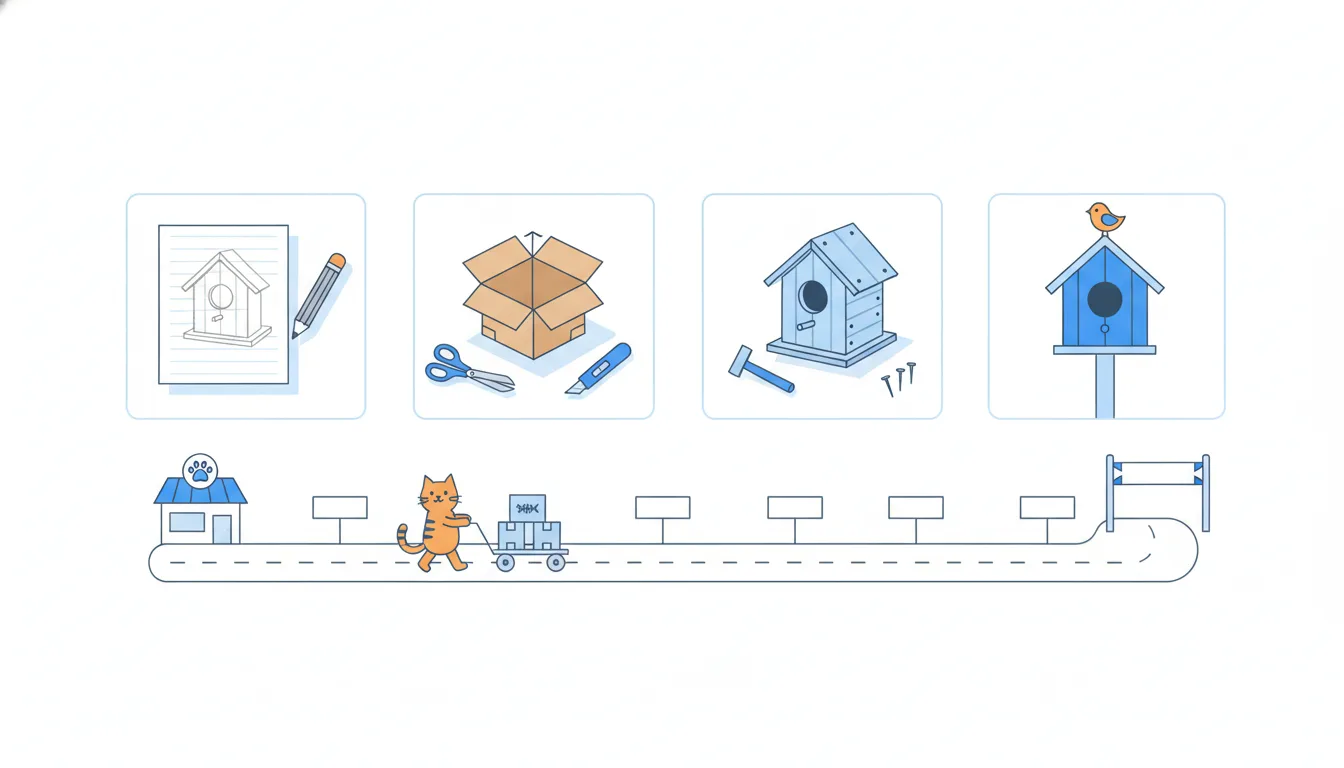
The stage also tells you what to write. In Exploring there's no feature to name yet, so the item stays a theme. From Testing on, the candidate solutions can appear under it.
Stages are most useful to the people outside the team. Sales can read them as instructions: Exploring means don't mention it to clients as coming; Building means it's safe to prepare. Engineers see what's settled and what's still open. Keep the set short: six or seven stages blur together, and nobody remembers what each one means.
- DoNew-owner theme: Exploring · Clinic theme: Testing from November · Reminders: Building
One word per item, and everyone knows what it means.
- Don'tSales tells a clinic the new-owner quiz is “coming soon” while it's still Exploring
Exploring means nothing is chosen, so nothing to promise.
Confidence without false precision
The confidence level says how likely an item is to happen in its timeframe, in roughly that form. The columns already imply it, since Now is surer than Later, but writing it down makes it impossible to miss: say, Now about 80%, Next about 50%, Later about 20%. Never claim 100%.
Confidence per column is honest. Confidence per item, to the percent, usually isn't. A number like 73% looks measured, but it's a gut feeling in a lab coat. That's false precision: it makes the plan look surer than it is, and people start treating the number as data, quoting it and holding the team to it.
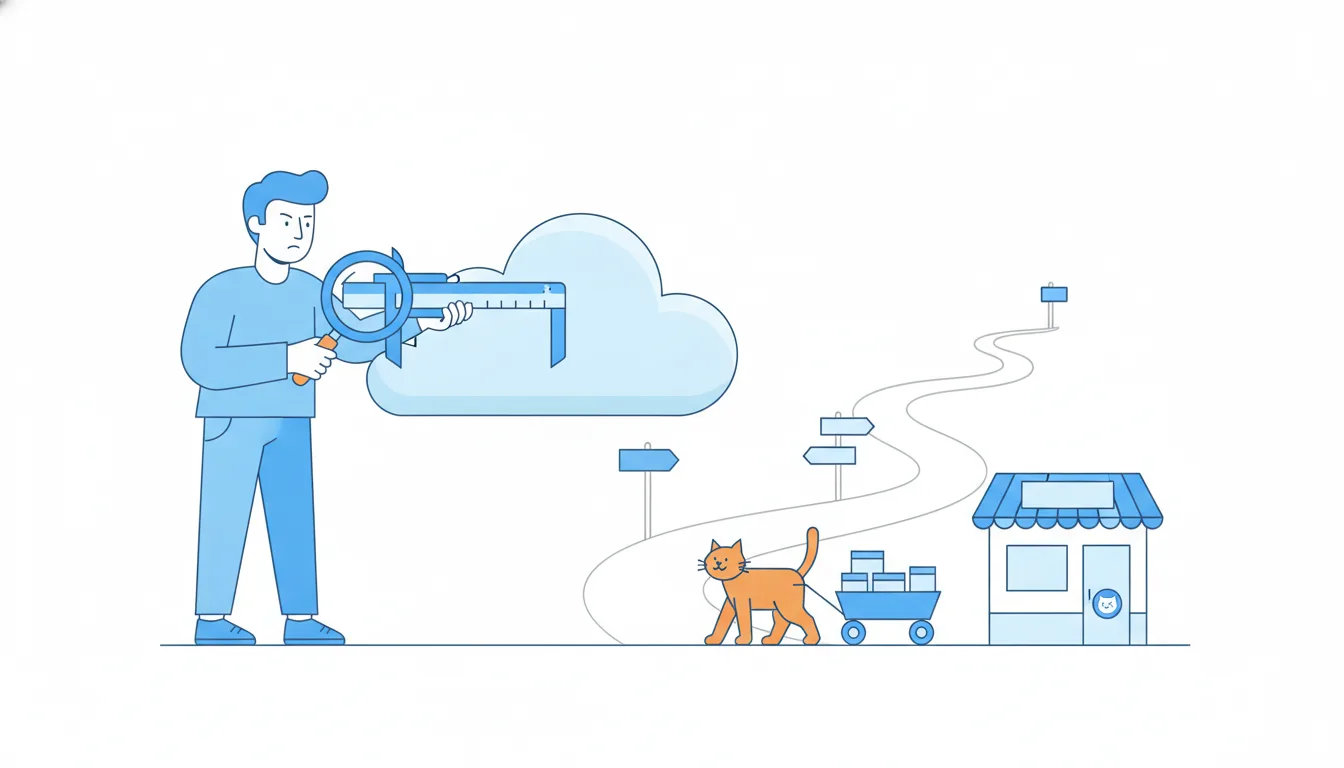
A better alternative is to name the evidence instead: what do we actually have behind this item? Our own opinion, a few requests, a pattern in the data, or results from customers who tried it. “Testing in two clinics, first results in December” tells a reader far more than “73%”: what's known, what isn't, and when that will change.
As the evidence grows, so does the confidence, and the note can say so.
- DoNow · about 80% | Next · about 50% | Later · about 20%
Rough, per column, and honest about falling certainty.
- DoClinic theme: “Testing in two clinics; first results in December”
Evidence instead of a number.
- Don'tWarehouse replacement: 73% confidence
A guess dressed up as a measurement.
The confidence line inside Now
Even a well-cut Now often holds a little more than the team can surely finish this quarter. Rather than pretend otherwise, draw a confidence line inside the column.
Above the line: what the team commits to this quarter. For CatChow: the reminder emails, the clinic pilot and the warehouse work. Below the line: what the team will reach for if things go well, such as flexible delivery dates.
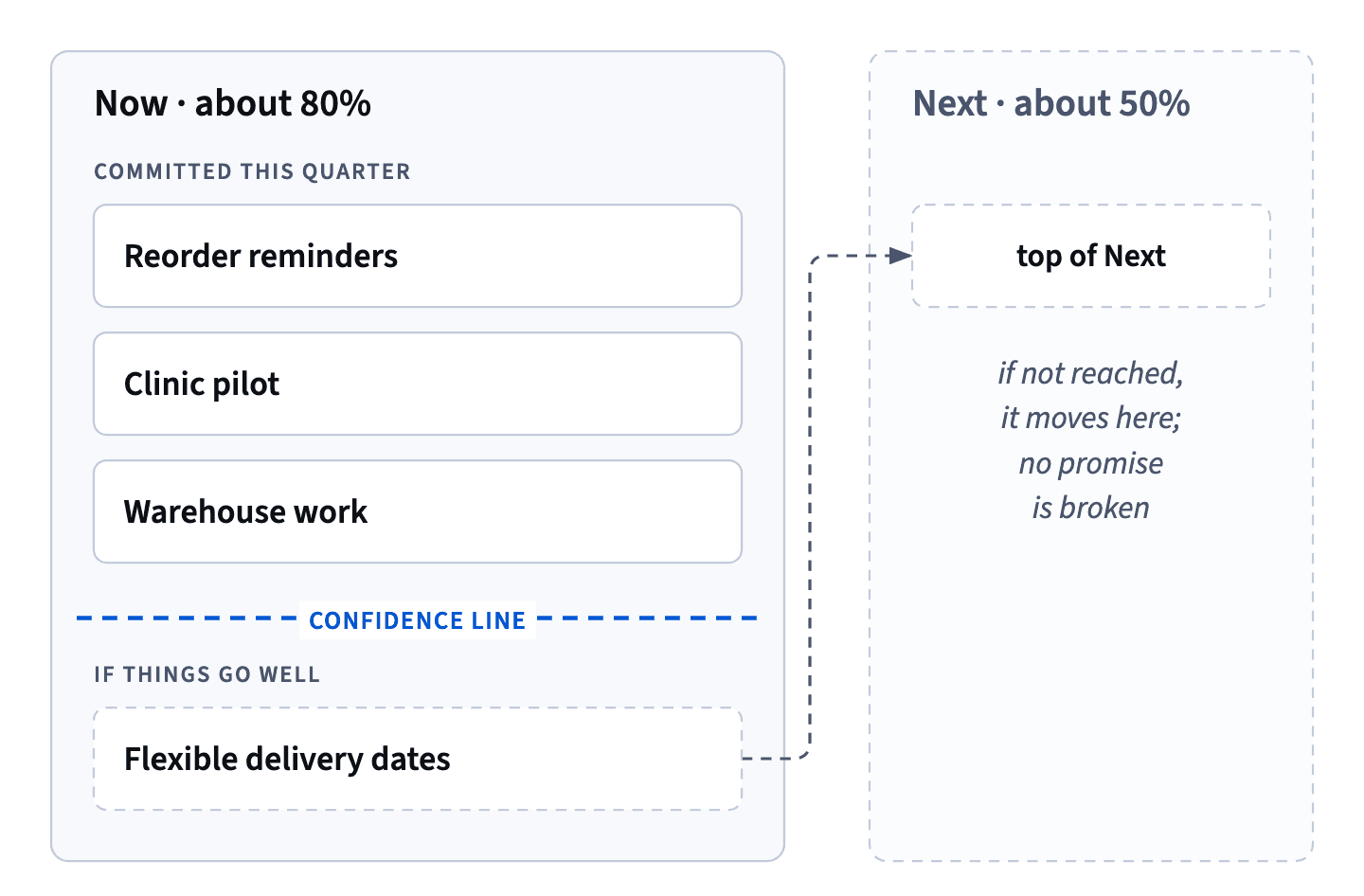
The line changes how a slip feels. If an item below it doesn't happen, it simply moves to the top of Next, and nobody has broken a promise, because everyone could see in advance which items were the bonus. Without the line, the same slip looks like a failure, and the next plan gets padded “to be safe”.
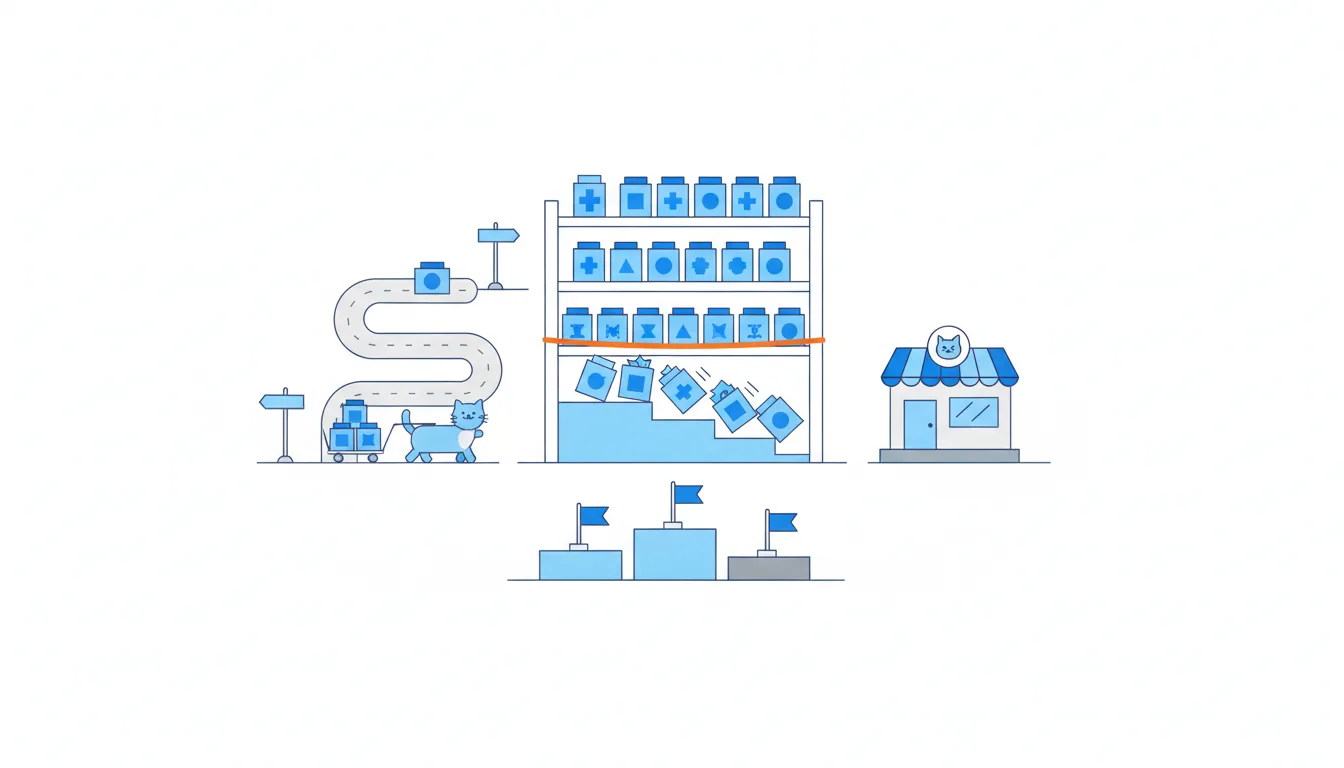
The line isn't a place to hide items, and nothing below it is dropped: its whole point is that everyone can see it. Draw it together with the people who know the team's capacity, usually the engineering lead, not alone at your desk. They know better than anyone how much fits above it.
- DoAbove the line: reminders, clinic pilot, warehouse work · Below: flexible delivery dates
Everyone sees in advance which item is the bonus.
- Don'tEverything in Now presented as equally committed
Any slip becomes a broken promise.
Target dates only where confidence is high
An outcome-based roadmap isn't a roadmap without dates; it's a roadmap where dates mean something. The rule is simple: target dates only where confidence is high, and only in Now.
For CatChow, that's two items. Engineering is sure about the reminder emails (second half of November) and the pilot's first review (early December), so both get a target date. The warehouse doesn't, yet: the team will know after the data-migration test in November. The rollout to all 14 clinics doesn't either, because it depends on the pilot's results and on the warehouse.
A date anywhere else is a guess that people will remember as a promise. Once it's on the page, sales repeats it, partners plan around it, and moving it costs trust.
When someone asks why one item has a date and theirs doesn't, explain what their item depends on and when the date will be set. That gives them something real to pass on, instead of a guessed month they'd have to take back later.
- DoReminder emails: second half of November · Pilot's first review: early December
Dates only where the team is sure.
- Don'tClinic rollout: March (to keep sales happy)
Depends on the pilot and the warehouse: a guess that becomes a promise.
Product areas: useful for some teams
Product areas tag each item with the part of the product it touches: for CatChow, subscriptions, clinic ordering, warehouse and delivery. They're one of the optional extras, and like every extra, they earn a place only when a real reader needs them.
They pay off when several teams own different parts of the product. Each team can find its own work at a glance, and leaders can see whether one area is getting all the attention while another is neglected. In a large company, that view can be the most-read part of the roadmap.
For one small team that works across the whole product, product areas are often just more ink. Everyone already knows who's doing what, and an extra label on every line makes the page denser without answering anyone's question.
So the test is the same as for every extra: who asked, and what question does it answer for them? If you can't name the reader, leave it off. You can always add it later, when the organization grows.
- DoThree teams own subscriptions, clinic ordering and delivery: tag each theme with its area
Each team finds its work at a glance.
- Don'tOne five-person team adds an area tag to every line “for completeness”
More ink, no reader, no question answered.
Target customers and extras for each reader
Every extra on a roadmap should answer a question a real reader asked. Target customers tag each theme with the group it serves, such as subscribers, new owners or partner clinics: for sales, the fastest way to find what matters to the client on the phone; for leaders, a check that no group is quietly neglected.
- Engineering asks what are we building, and how settled is it? Features under themes, and stages.
- Sales asks what can I mention to this client? Target customers, and stages.
- The CEO and the board ask how sure is the plan? Confidence per column, and little else.
Add everything for everyone, and the page turns back into a project plan. For one internal version, choose what most readers need and say what you left out.
How it fits together: Extras sit on top of the five components, each answering one reader's question. Version 3: themes with features beneath, stages, confidence per column with a line inside Now, dates only where the team is sure. Module 4 decides which candidate solutions go first, with evidence.
- DoFor Brandon: themes tagged “partner clinics”, each with its stage
He finds the clinic items in a second and knows what he may say.
- Don'tEvery extra on every item for every reader
The page reads like a project plan again.
Ready to practise?
Answer the lesson's exercises and earn 250 points the first time you finish it.
Start the exercises