

Theory
GitHub issues: bug reports, templates, labels and milestones
Turn a one-line request into GitHub issues the team can act on: how to write a bug report with steps to reproduce, feature requests with acceptance criteria, a GitHub issue template, labels, assignees, sub-issues and a milestone with a due date. Plus how closing keywords and mentions link pull requests to issues, and what each issue state tells a PM.
~11 min read · 11 exercises · 250 points
Before you start
One line from the CEO
Monday of week three at CatChow. The product team is working on loyalty points, and the work is spread across chat threads, three pull requests and one issue from the CEO, titled "Loyalty", that just says it's needed before Black Friday.
This last module is about planning work on GitHub. In this first lesson you'll turn a one-line request into issues the team can act on, with templates, labels, owners and a milestone with a due date.
Issues: the question before the code
At CatChow the loyalty work was scattered over chat threads, three pull requests and one issue the CEO had titled “Loyalty”, with a single line: “Need this before Black Friday!!”. A new teammate would never find all of it.
An issue is GitHub's home for anything the team should know about or do. Three kinds cover most of them: a bug report (something is broken), a feature request (something is wanted) and a task (a to-do with an owner and often a date). An issue usually comes before any code, and it is read by people who weren't in the room, so it has to stand on its own.
Loyalty#147
Opened by the CEO last week · no labels, no assignee
Test an orange checkout button#135
Label idea · opened by Daniel
Checkout button stays grey after editing cart#131
Bug report from support · closed by #134
Show prices in euros#138
Feature request · closed as not planned
The code that answers an issue arrives later as a pull request that links back to it. The issue is the question; the pull request is one answer. You can open a pull request without an issue, but a month later nobody remembers which problem it solved. A closed issue keeps its reason as well: closed as completed, or closed as not planned.
- DoIssue #131 “Checkout button stays grey after editing cart” is a bug report; pull request #134 fixes it and links back to it.
The problem and its fix stay connected.
- Don'tA branch called
fix-thingand a chat message: “fixed that bug from Tuesday”.A month later nobody knows which problem it solved.
A bug report anyone can repeat
A developer can only fix what they can make happen on their own screen. A good bug report gives them four things.
- Steps to reproduce: what to do, in order, starting from a known state (which account, which flag is on).
- Expected result: what should have happened.
- Actual result: what happened instead.
- Where: device, browser, account, order number, plus a screenshot if you have one.
CatChow's issue #159 does exactly this. A staff account orders products for 600 UAH, applies a 100 UAH promo code and pays 500 UAH. Expected: 50 points, one per 10 UAH paid. Actual: 60 points, counted before the discount. Anyone can repeat it in two minutes, and the two numbers make the gap obvious.
The title names the symptom, not a feeling: “Points counted before promo discount”, not “Points broken”. Two things don't belong in a report. Urgency is agreed with the team, not shouted in capitals. And finding the faulty file is the developer's job; a reporter's guess only sends people the wrong way.
- Do“Points counted before promo discount. Steps: staff account, cart 600 UAH, promo 100 UAH, pay 500 UAH. Expected: 50 points. Actual: 60. Where: desktop, Chrome, order 58213.”
Anyone can repeat it and see the gap.
- Don't“Points broken. Customer says points are wrong, pls fix ASAP!!”
Nothing to repeat and nothing to compare.
- Don't“URGENT: the bug is probably in the checkout file.”
Shouts urgency and guesses at code instead of describing what happened.
Feature requests and issue templates
A feature request answers three questions for people who weren't in the room: what is wanted, why it matters, and how we'll know it's done. A useful one has:
- a title that names the outcome, not a topic: “Customers can reuse a saved delivery address”, not “Addresses”;
- a few lines of context: who has the problem and what it costs them;
- acceptance criteria: checks that must be true when the work is done, phrased so a person can test them;
- what is out of scope, so the work doesn't quietly grow.
GitHub can nudge everyone towards this with issue templates: files in the repository's .github/ISSUE_TEMPLATE/ folder. After that, New issue first asks which kind to open, for example “Bug report” or “Feature request”, and pre-fills the headings and labels; the bug template can add the bug label by itself. A form version shows separate fields, and some can be required.
Keep the limit in mind: a template can require a field, not a good answer. Filling it in well is still the writer's job.
- DoAcceptance criterion: “A saved address can be picked at checkout without retyping it.”
A person can check it in a minute.
- Don'tAcceptance criterion: “Addresses work well.”
Nobody can say when it's true.
- DoA “Bug report” template with the headings Steps to reproduce, Expected, Actual and Where, which adds the
buglabel by itself.The headings prompt for what a developer needs.
Labels and assignees
The sidebar on the right of an issue has the same fields you met on pull requests, and each answers one of a PM's everyday questions.
Labelssay what kind of work it is and which area it touches:bug,content,loyalty. Filter the issue list bylabel:loyaltyand a whole programme fits on one screen.Assigneesname whoever is responsible for moving the issue forward. That is not necessarily the author: a PM writes bug #159, and Daniel, the developer, is assigned. Several people can be assigned, but one name makes it clear whom to ask.Milestoneties the issue to a goal with a date.Developmentshows the branches and pull requests working on it.
Keep labels few and meaningful. If every issue carries six of them, filtering by any one tells you nothing, and people stop using them. A small, agreed set (kind of work plus product area) is enough for most teams.
- Do#159: labels
bugandloyalty, assignee Daniel.Kind, area and one owner.
- Don'tEvery issue gets
bug,urgent,frontend,loyalty,q4andimportant.When everything is labelled, a filter shows nothing useful.
- Don'tAssignee: whoever happened to write the issue.
The author isn't always the one who moves it forward.
Sub-issues: a parent and its pieces
Some work is far too big for one issue. CatChow's loyalty programme needs a bug fix, a balance in the account, spending points at checkout, a programme page and a launch switch. Ten unconnected issues would scatter it again; one giant description would hide who does what.
The answer is a parent issue with sub-issues. The parent holds the goal and what “launched” means: #147 is renamed “Launch loyalty points before Black Friday”. Each sub-issue is an ordinary issue attached to it, with its own number, assignee, labels and state, so Daniel can close his piece without touching anyone else's. The parent lists them and shows progress such as “1 of 4” closed.

Older repositories do something similar with a checklist in the description: lines starting with - [ ] show up as tick boxes. They work, but someone ticks them by hand, and a checklist line has no owner or state of its own. Sub-issues are the pieces people actually pick up.
- DoParent #147 “Launch loyalty points before Black Friday” with sub-issues #159, #162, #163 and #164, one owner each.
Goal on top, pieces people can pick up below.
- Don'tTen separate issues called “Loyalty 1” to “Loyalty 10”, linked to nothing.
Nobody can see the whole programme or its progress.
Milestones and the progress bar
A milestone groups issues and pull requests under one goal, with an optional due date and a progress bar. Labels answer “what kind of work?”; a milestone answers “towards what, and by when?”. CatChow's milestone “Loyalty launch” is due 13 November, two weeks before Black Friday, and holds the parent #147, its sub-issues and the loyalty pull requests.
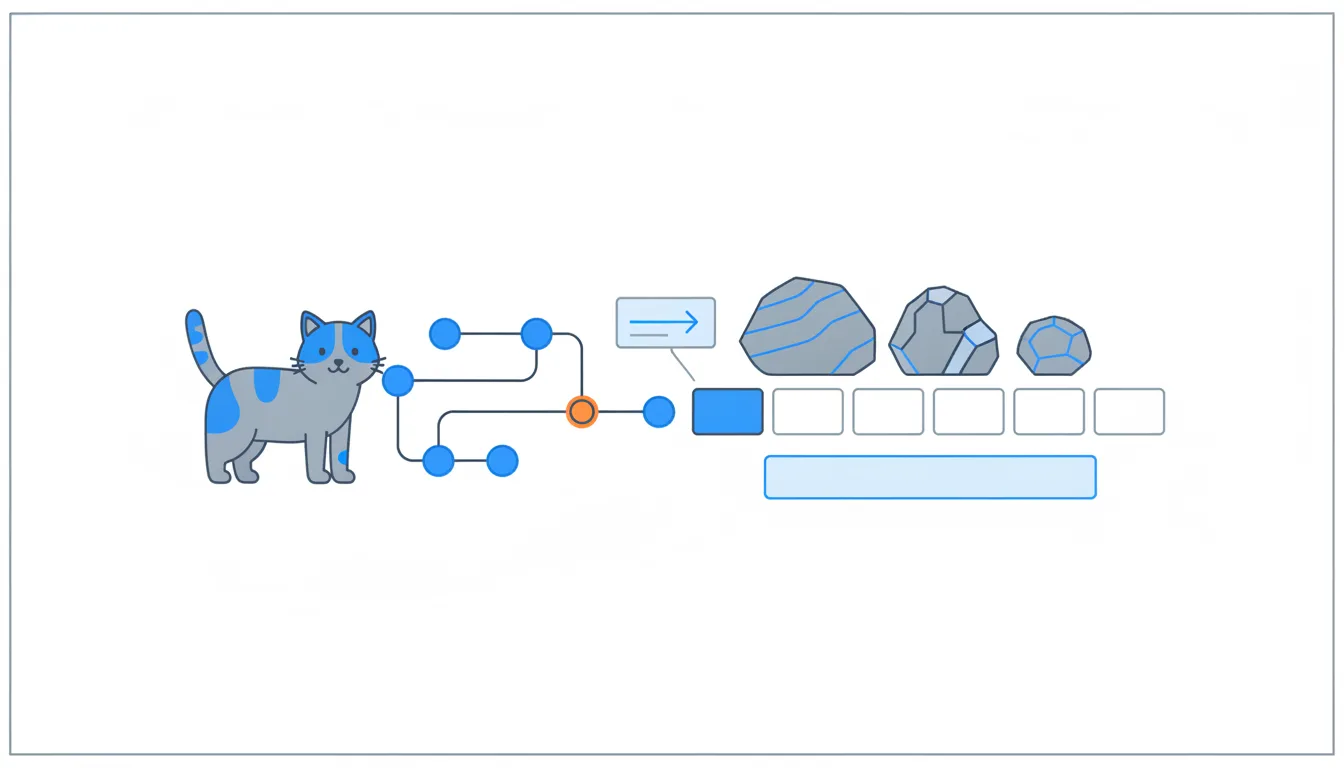
The bar is simple arithmetic: closed items ÷ all items. A merged pull request counts as closed. So does an issue closed as not planned: a dropped idea moves the bar exactly like finished work. With 2 of 8 items closed, “Loyalty launch” shows 25%.
Launch loyalty points before Black Friday#147
Parent · 0 of 4 sub-issues closed · Sofia
Add loyalty points behind a flag#155
Earn points on paid orders#156
Write loyalty programme page#157
Emma
Points counted before promo discount#159
bug, loyalty · Daniel
Show points balance in the account#162
loyalty · Daniel
Spend points at checkout#163
loyalty · Daniel
Switch on loyalty points for all customers#164
loyalty · Sofia
That makes the percentage easy to misread. It counts items, not effort: a one-line copy fix and the whole checkout change each count as one. And it has no halves: an open pull request is simply open. Before reporting progress, read the list under the bar: which items are still open, how big they are, and whether any of the closed ones were dropped rather than done.
- Do“60% of items are closed, but one was dropped and the biggest piece, bundles, is still open.”
Reads the list, not just the bar.
- Don't“The milestone is at 60%, so we're more than halfway done.”
The bar counts items, not effort, and includes dropped ones.
Closing keywords and mentions
Work on an issue can start from the issue itself. Under Development there is Create a branch: GitHub suggests a name from the issue's number and title, and Daniel changes it to the team's habit, fix/points-after-discount. The issue then lists the branch and, later, its pull request.
In the pull request description, two references look alike and behave differently:
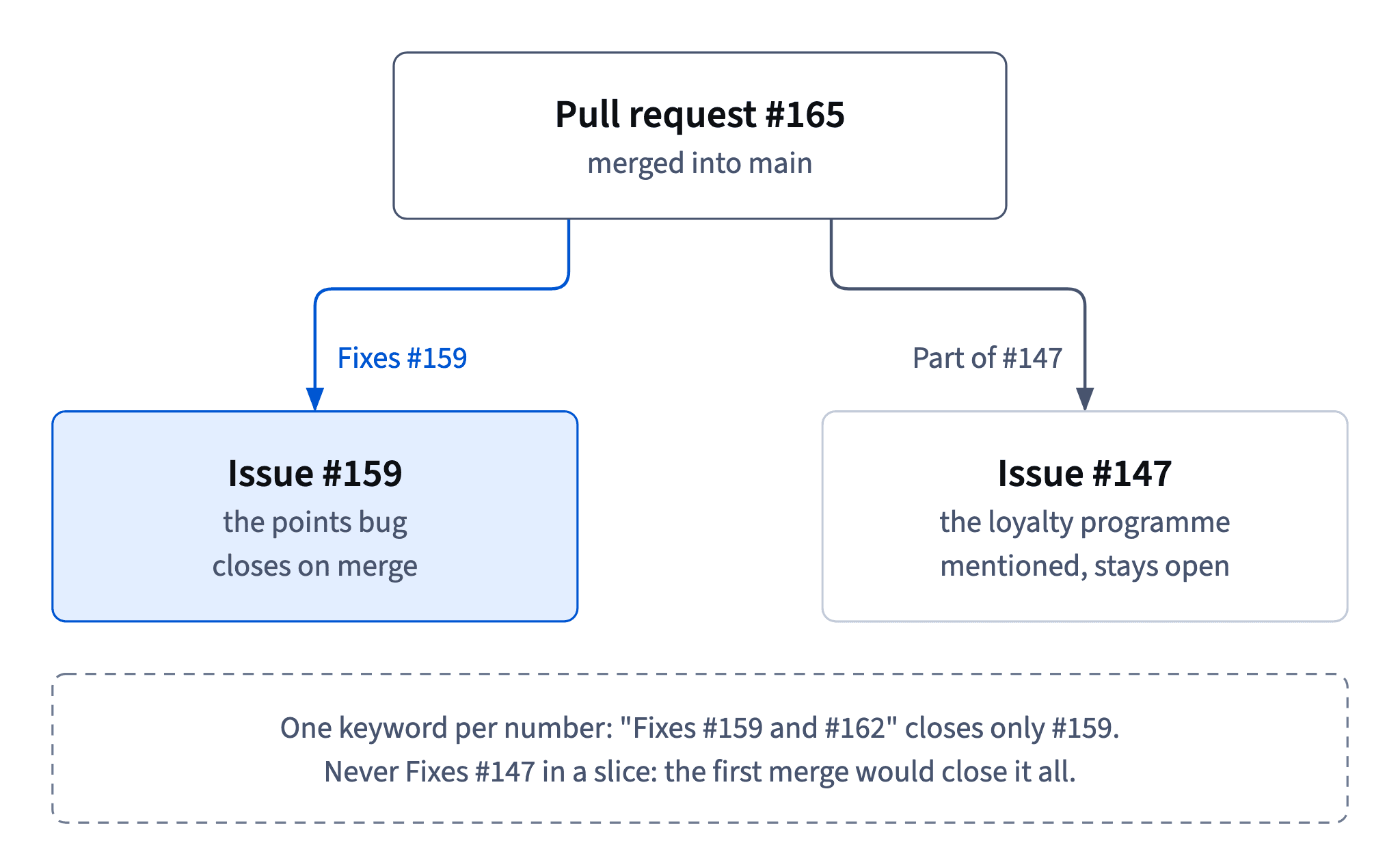
Fixes #159uses a closing keyword. When the pull request is merged into the default branch (main), GitHub closes #159 as completed. The keywords are close, fix and resolve with their usual endings: closes, closed, fixes, fixed, resolves, resolved.Part of #147is a plain mention. #147's timeline shows that the pull request referred to it, and nothing closes. “Related to” or “See” work the same way.
e5f81a3Hide loyalty menu link when flag is off (#158)v1.4.1b2e6f10Earn points on paid orders (#156)6e0b4d8Add issue templates (#160)4f8c2e1Count points from the paid amountfix/points-after-discount7a1d9c3Count points after discounts (#165)main
Commit graph, oldest first: From issue #159 to main 1. commit e5f81a3 on main "Hide loyalty menu link when flag is off (#158)", tagged v1.4.1 2. commit b2e6f10 on main "Earn points on paid orders (#156)" 3. commit 6e0b4d8 on main "Add issue templates (#160)" 4. branch fix/points-after-discount starts from commit 6e0b4d8 5. commit 4f8c2e1 on fix/points-after-discount "Count points from the paid amount" 6. commit 7a1d9c3: fix/points-after-discount squash-merged into main "Count points after discounts (#165)" (highlighted)
That is why a slice of a big programme never says Fixes #147: the first merged piece would close the whole parent. Close your own sub-issue, mention the parent.
- Do
Fixes #159. Part of #147.Closes the bug, only mentions the parent.
- Don't
Fixes #147in the pull request for one slice of the programme.The first merged slice would close the whole programme.
One keyword per issue, closed only on merge
Closing keywords have two rules that catch people out.
One keyword per number. Fixes #162 and #163 closes only #162; #163 gets a mention and stays open. To close both, repeat the keyword: Fixes #162, fixes #163. Then add the parent as a plain mention, Part of #147, so the slice shows up in the programme's timeline without closing it.
Nothing closes until the merge. An open pull request with Fixes #159 only links the two; the issue is closed when the pull request is merged into the default branch, main at CatChow. A pull request merged into some other branch closes nothing. The same keywords also work in a commit message once that commit reaches the default branch.
After the merge the issue shows the purple icon, closed as completed, and its Development section keeps the link to the pull request, so anyone can see what closed it and when. If the fix turns out not to work, the issue can be reopened instead of filing a new one.
- Do
Fixes #162, fixes #163. Part of #147.Two keywords for two sub-issues, a mention for the parent.
- Don't
Fixes #162 and #163.Only #162 closes; #163 is left open by accident.
- DoThe fix didn't hold in the staff test: reopen #159 and link the new pull request.
History stays in one place.
Closed is not the same as visible to customers
When #165, Daniel's pull request with Fixes #159 for the points bug, is merged, #159 closes by itself and shows the purple icon: closed as completed. At CatChow a merge into main is deployed within minutes, and the staff test after lunch passes: 500 UAH paid, 50 points. The bug is fixed in the live code.
Yet customers still see no points at all. The programme sits behind the feature flag loyalty-points, which is on for staff only. The issue state and the flag answer different questions:
- Issue state (open, closed as completed, closed as not planned): is the work done?
- Deploy: is the code running on the site?
- Feature flag: who can see the feature?
Keep the three apart when you report to support, sales or the CEO. “#159 is closed” is true and still misleading if the listener hears “customers now get the right points”. Say what is live, who sees it and when that changes. And a release page is only a description of changes; publishing one deploys nothing.
- Do“The fix is live. Customers will see points when we switch the flag on for everyone, planned before 13 November.”
Separates done, deployed and visible.
- Don't“#159 is closed, so customers get the right points now.”
Customers have no points at all yet: the flag is on for staff only.
Ready to practise?
Answer the lesson's exercises and earn 250 points the first time you finish it.
Start the exercises