

Theory
GitHub flow: small branches, fast merges
The loop most product teams work in: branch from main, pull request, review and checks, merge, deploy. Why small, short-lived branches are safer, what "merged" and "deployed" mean, how feature flags let unfinished work ship hidden, and how to read a feature's progress from the pull request list.
~11 min read · 11 exercises · 250 points
Before you start
Is it live yet?
Friday afternoon at CatChow, right after the product team's meeting. One question came up three times today: "Is it live yet?" Once about the checkout fix, twice about Emma's autumn sale banner.
This module is about how teams ship. In this first lesson you'll put the whole path of a change on one picture, from a branch to the live site, and see why small, short-lived branches are safer and how unfinished work can ship hidden.
GitHub flow: the loop most product teams work in
GitHub flow is a short loop around one rule: main is always a version you could put on the site right now. Every change makes the same trip:
- Create a short-lived branch from fresh
main:git switch -c fix/footer-links main. - Commit the change on it and push:
git push -u origin fix/footer-links. - Open a pull request into
main(gh pr create --base main). - Reviewers approve and the required checks pass.
- Merge, at CatChow with
Squash and merge(gh pr merge --squash --delete-branch). - The deploy puts the new
mainon the live site. - Check the change on the live site yourself.
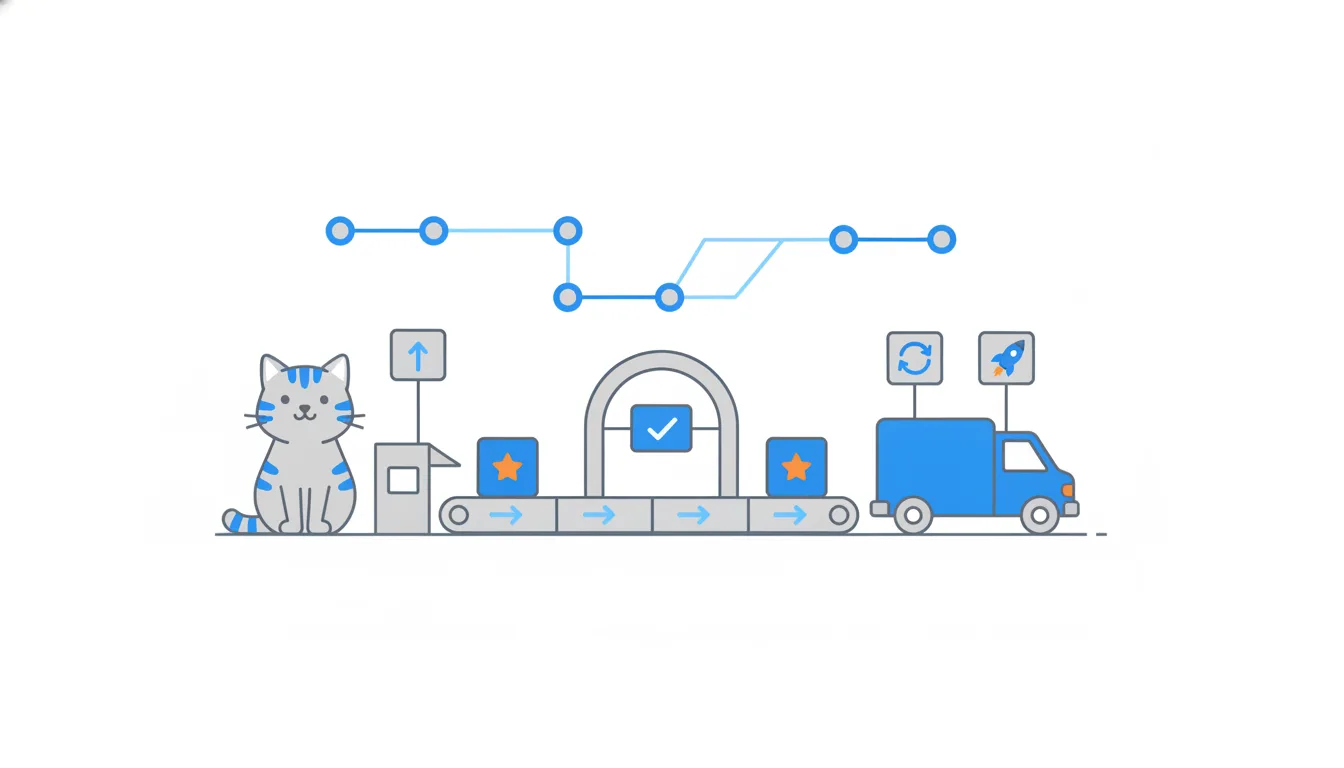
The branch is deleted after the merge, and the next change starts again from the updated main. Anything unfinished waits on its own branch or, as you'll see, behind a switch.
At CatChow, Emma's copy, Daniel's free-delivery threshold and the checkout fix each took this path in about a week or less. Three short branches, three squash commits on main, each live within minutes of its merge.
e7c3b19Add summer promo bannere19c3b7Rewrite delivery page copyf02a6d4Update FAQ answers3a9d1c4Reproduce bug in a test8be2f70Add cat treats bundle5c1d7e2Set freeDeliveryFrom to 1000a8f40b9Update delivery page textd36b9c5Update cart hint textfeature/free-delivery-1000b7e4a05Re-enable button after cart edits6f2c8a1Raise free-delivery threshold to 1000 UAH (#133)c90d4e7Merge branch 'main' into content/delivery-copycontent/delivery-copya7d93e4Rewrite delivery page copy (#132)c2d7f90Update checkout hint copyf7a2b61Restore checkout button colour9e3b5d2Merge branch 'main' into fix/checkout-buttonfix/checkout-buttond51c7e8Fix checkout button after cart edits (#134)main
Commit graph, oldest first: main over the last two weeks 1. commit e7c3b19 on main "Add summer promo banner" 2. branch content/delivery-copy starts from commit e7c3b19 3. commit e19c3b7 on content/delivery-copy "Rewrite delivery page copy" 4. commit f02a6d4 on main "Update FAQ answers" 5. branch fix/checkout-button starts from commit f02a6d4 6. commit 3a9d1c4 on fix/checkout-button "Reproduce bug in a test" 7. commit 8be2f70 on main "Add cat treats bundle" 8. branch feature/free-delivery-1000 starts from commit 8be2f70 9. commit 5c1d7e2 on feature/free-delivery-1000 "Set freeDeliveryFrom to 1000" 10. commit a8f40b9 on feature/free-delivery-1000 "Update delivery page text" 11. commit d36b9c5 on feature/free-delivery-1000 "Update cart hint text" 12. commit b7e4a05 on fix/checkout-button "Re-enable button after cart edits" 13. commit 6f2c8a1: feature/free-delivery-1000 squash-merged into main "Raise free-delivery threshold to 1000 UAH (#133)" 14. merge commit c90d4e7: main merged into content/delivery-copy "Merge branch 'main' into content/delivery-copy" 15. commit a7d93e4: content/delivery-copy squash-merged into main "Rewrite delivery page copy (#132)" 16. commit c2d7f90 on fix/checkout-button "Update checkout hint copy" 17. commit f7a2b61 on fix/checkout-button "Restore checkout button colour" 18. merge commit 9e3b5d2: main merged into fix/checkout-button "Merge branch 'main' into fix/checkout-button" 19. commit d51c7e8: fix/checkout-button squash-merged into main "Fix checkout button after cart edits (#134)" (highlighted)
- Do
git switch main,git pull, thengit switch -c fix/footer-linksEvery change starts from fresh
main. - Don'tKeep working on last month's branch for “just one more feature”.
The branch drifts behind
mainand grows unreviewable.
Merged, then deployed: two different events
“Merged” and “deployed” are two events. A merge changes main in the repository. A deploy takes that main, builds the site and puts it on the servers customers use. At CatChow the deploy is a GitHub Actions workflow, a job like build and test, except that it runs on main after every merge. The two are minutes apart, and the second follows the first on its own. In other teams they can be days or weeks apart.
So right after a merge, customers still see the old site, and they'll see the new one only if the deploy succeeds.
You can check without asking anyone. As of 2026 the repository page has a Deployments section in the right column; click production to see which commit is live and since when. In a terminal, gh run list --branch main shows the latest workflow runs on main, deploys included.
Fix checkout button after cart edits#134
Merged into main at 9:40 as d51c7e8
deploy (production)
Ran on d51c7e8 in main, finished at 9:44
Before you tell support something is live, do both: check production under Deployments, then take one look at the live site. The deploy tells you the code arrived; your own eyes tell you it works.
- Do“
productionshowsd51c7e8since 9:46, and the button works on my phone. It's live.”Deploy checked, live site checked.
- Don't“#134 says Merged, so customers have it.”
The deploy may still be running, or may have failed.
When the deploy fails
Sometimes the merge goes through and the deploy doesn't. Then main has the change and the site doesn't: customers keep seeing the previous version, the one the last successful deploy put there. Nothing is half-installed; the new version simply never arrived.
The team gets an alert and has two ways out:
- Fix forward: a small pull request that repairs whatever broke the deploy, merged quickly.
- Revert: undo the merge. The
Revertbutton on a merged pull request opens a new pull request that removes exactly that change; in a terminal,git revertwith the commit hash does the same.
Either way it jumps the queue. In GitHub flow main must stay deployable, and a broken main blocks everyone's next deploy, not just the one change.
For a PM, a failed deploy is one more reason to say “merged” and “live” separately. If a colleague asks about a merged change and the latest run under Deployments failed, the honest answer is “merged, not live yet, the team is on it”.
- Do“#160 is merged, but the deploy failed. Customers still see the old page; Daniel is fixing it now.”
Separates merged from live.
- Don't“The deploy failed, so the site is down.”
A failed deploy leaves the previous version running.
Small and short-lived: less risk per merge
Building a whole feature on one branch and merging it once at the end sounds tidy. In practice it ends like feature/loyalty-points at CatChow: twelve commits ahead, 86 behind, untouched for five months.
Small pull requests on short-lived branches are safer for three reasons:
- Less drift. Every day a branch lives,
mainmoves on without it. The further behind, the more conflicts, and the more surprises when old work meets new code. - Better review. Forty changed lines take ten careful minutes. Two thousand wait for someone's free afternoon and then get skimmed.
- Precise undo. If one small change breaks something, a revert removes exactly that. Revert a huge one, and ten good changes leave with the bad one.
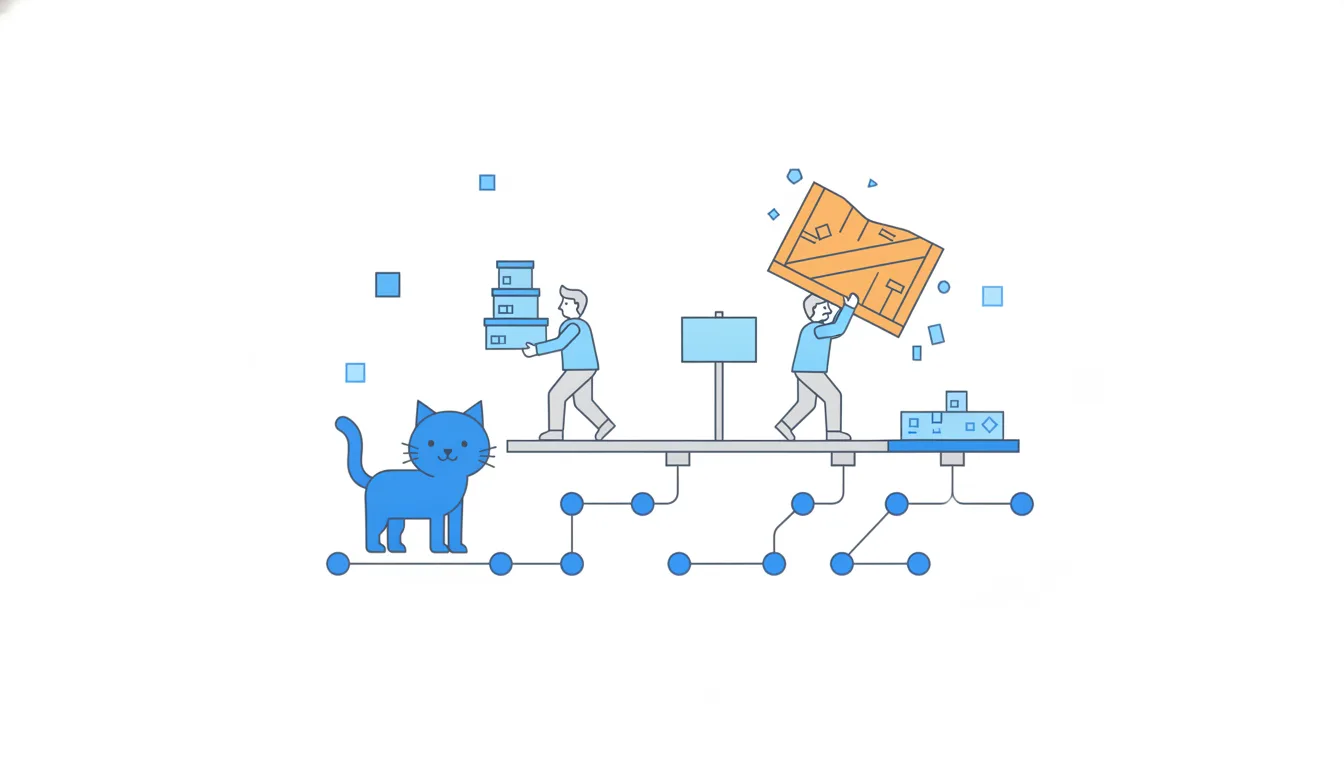
So small isn't about tidiness: it's less risk per merge. A rule of thumb many teams use is a branch that lives a few days and a pull request someone can review in one sitting. GitHub sets no size limit and gives small pull requests no shortcut through the review rules; the benefit is purely in how safely they ship.
- DoThree pull requests of about 50 lines each, merged over a week.
Each one reviewed carefully and revertable on its own.
- Don'tOne pull request with 2 000 changed lines after a month on a branch.
Skimmed review, painful conflicts, all-or-nothing revert.
Spot a risky branch early
You can spot a branch heading for trouble before it reaches review. Look at two numbers:
- When it was last updated. A branch nobody touched for weeks is either finished and forgotten, or stuck.
- How far behind
mainit is. The branches page shows “behind” and “ahead” counts for each branch. In a terminal,git rev-list --left-right --count main...feature/wishlistprints both: the first number is how many commitsmainhas that the branch lacks (behind), the second how many the branch has thatmainlacks (ahead).
Old and far behind is the warning sign. On a commit graph it looks like a long lane that started high up while main kept collecting commits next to it. A branch that started from the latest main and holds one small commit is the opposite: little to review and nothing to catch up on.
The pull request tells the same story. If Files changed says 60 files for “a small tweak”, ask why. A friendly question early is cheaper than a painful review, or a risky merge, later.
- Do“
feature/wishlistis 5 behind and holds five commits of work. Can we split it before review?”Reads behind and size, asks early.
- Don't“It has more commits, so it's better tested.”
More commits on an old branch mean more risk, not more testing.
Slice a big feature into small pull requests
A feature too big for one review doesn't need one big branch. Slice it into a series of small pull requests, each merged and deployed on its own, with the unfinished parts hidden behind one feature flag.
For loyalty points at CatChow, a slice plan might read:
- Earn points on paid orders, stored but not shown anywhere.
- Show the balance in the customer's account, behind the flag
loyalty-points. - Spend points as a discount at checkout, behind the same flag.
- Emma's page explaining the programme, behind the flag.
Each piece is reviewed in one sitting and goes live invisibly. The team switches the flag on for staff first and tries the whole thing on the real site. The feature is launched only on the day the flag goes on for every customer, and rolling back means switching it off.
The alternative, rebuilding everything on one long branch and merging it at the end, brings back every problem of feature/loyalty-points: drift, a review nobody can finish and an all-or-nothing launch.
- DoFour small pull requests behind
loyalty-points, staff-only first, then everyone.Each piece ships safely; the launch is a switch.
- Don'tRebuild loyalty points on one branch and merge it the week before Black Friday.
One giant review and one risky launch day.
Feature flags: merged, deployed, hidden
A feature flag is a switch around a piece of the site. The code is in main and deployed, but customers see that piece only while the flag is on.
That solves a real timing problem. CatChow's autumn sale starts on Monday. Merge the sale banner by Emma, CatChow's content marketer, on Friday without a flag, and it announces a sale that hasn't started. Wait until Monday morning, and the review, merge and deploy all happen in a rush while customers are already arriving.
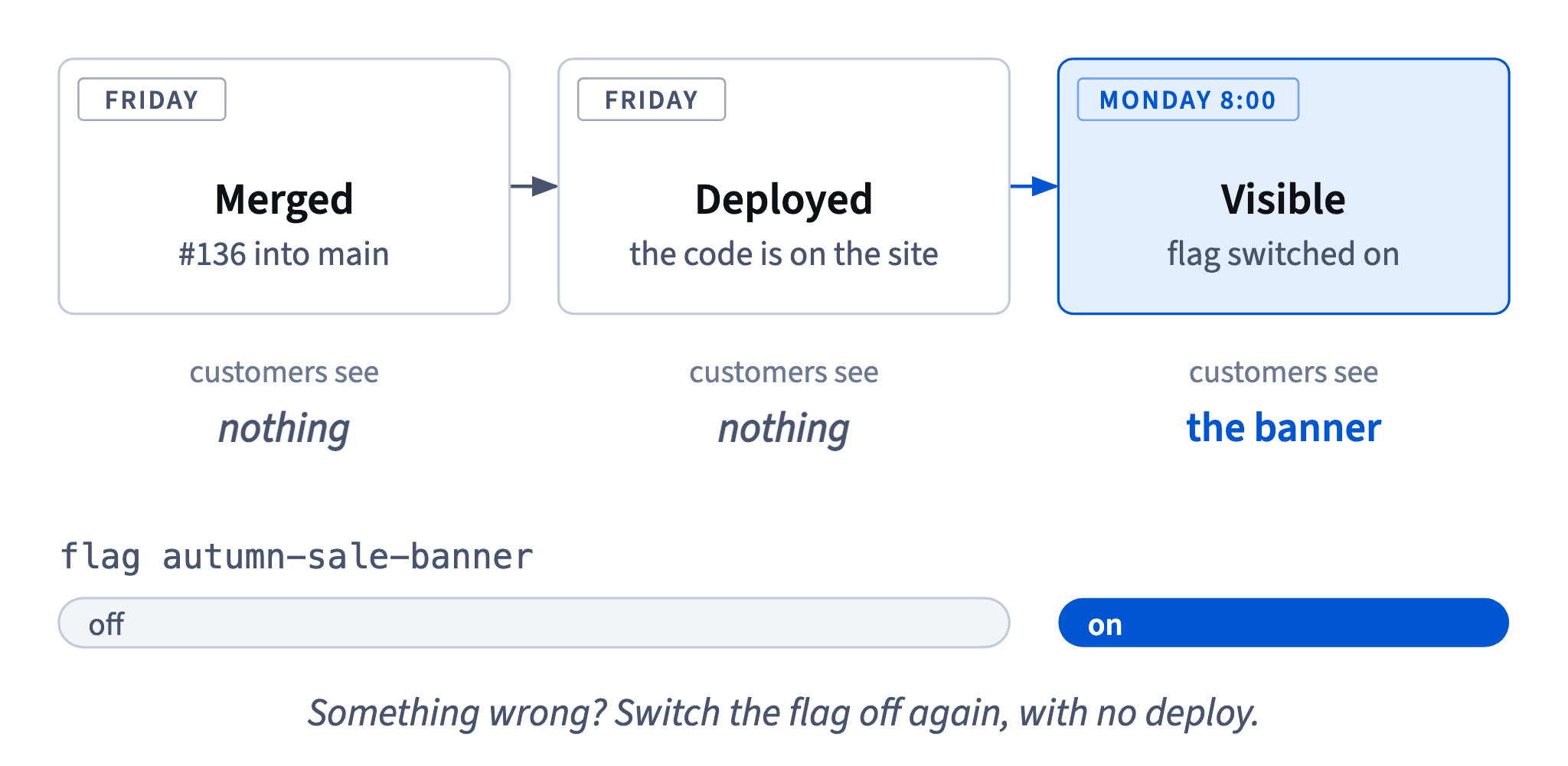
With a flag, Daniel wrapped the banner in a check for autumn-sale-banner, off by default. Emma's pull request #136 was reviewed and merged on Friday, and the deploy put the code on the site. On Saturday a customer opening the home page sees exactly what they saw before: the code is live, the flag is off. Nothing errors and nothing flickers.
So with flags, three states exist for one change: merged (in main), deployed (on the servers) and visible (switched on for customers). A merged pull request with its flag off means “done and hidden”, not “launched”.
- Do“#136 is merged and deployed, hidden behind
autumn-sale-banneruntil Monday 8:00.”All three states, in one sentence.
- Don't“#136 is merged, so customers see the banner.”
The flag decides what customers see.
Switching a flag: no deploy, and a cleanup later
At CatChow the flag switches live in a flag settings panel outside the repository. Turning one on or off needs no pull request, no review and no deploy, and it takes effect within seconds.
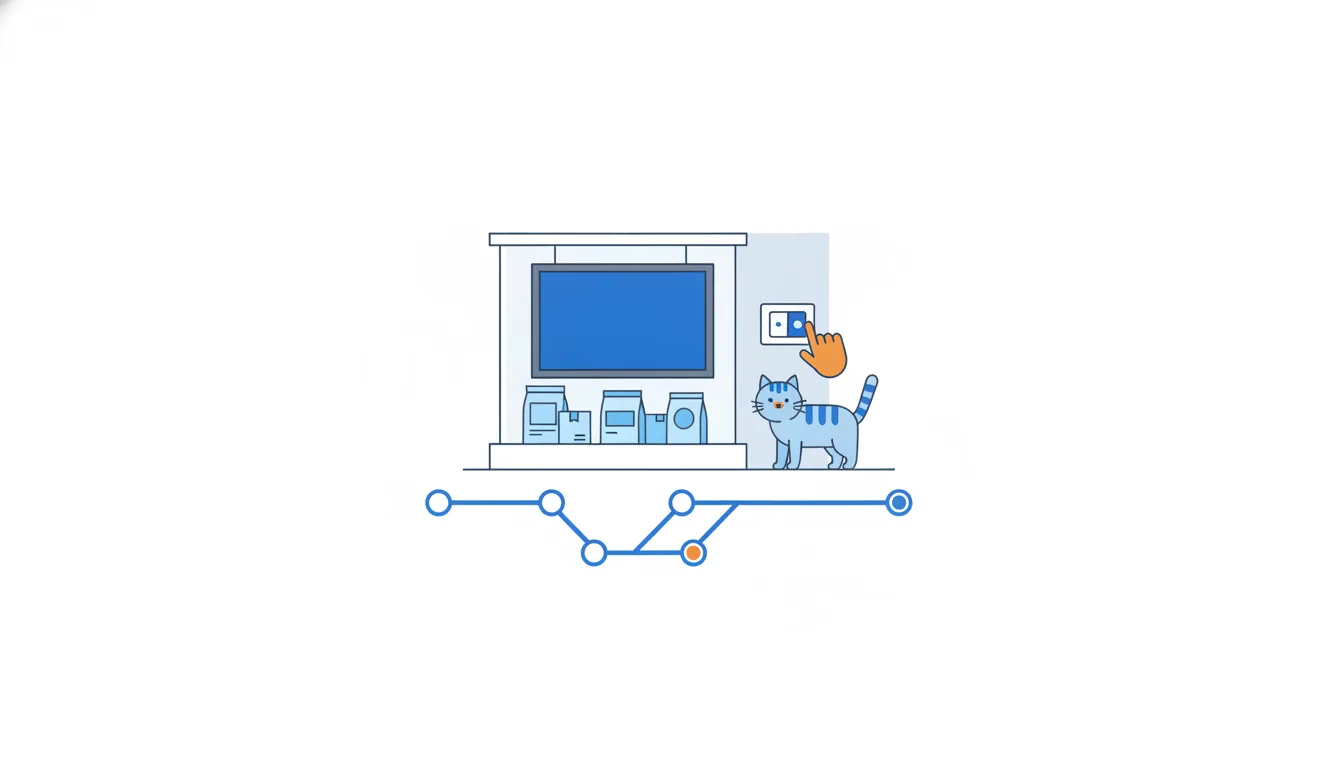
That changes how a launch works. On Monday at 8:00 Emma switches autumn-sale-banner on, and customers see the banner almost at once. If something looks wrong, she switches it off again, also without a deploy. Rolling back a flag is far faster than reverting a merge.
Flags also let a team merge unfinished work: the half-built part stays switched off, so main stays deployable while a feature grows in small pull requests. Many flag systems can switch a flag on for some people only, such as staff, before everyone.
The catch: every flag is an extra “if” in the code. Once a feature is on for good, someone should remove the flag in a small pull request, or the code fills up with forgotten switches nobody dares to touch. Put “remove the flag” on the plan from day one.
- DoMonday 8:00: switch the flag on, check the home page, switch it off if anything looks wrong.
Launch and rollback in seconds.
- Don'tLeave
autumn-sale-bannerin the code for a year after the sale ended.Forgotten flags pile up as dead “if”s.
Reading a feature's progress
When a feature is built in small pull requests behind a flag, “where is it?” has two halves, and a PM reads both.
The pull request list shows how far the building has got. Give every piece the same label and filter by it: loyalty in the list, or gh pr list --label loyalty --state all in a terminal. Each row's state tells you its stage:
Draft: still being written; it can't be merged yet.- Open, “Review required”, checks passed: built and tested by the robots, waiting for a person's approval.
Merged: inmainand deployed, but with the flag off, invisible to customers.
Add loyalty points behind a flag#155
by Daniel · merged on Tuesday · flag loyalty-points: off
Earn points on paid orders#156
by Daniel · Review required · checks passed
Write loyalty programme page#157
by Emma · Draft
The flag shows what customers see. Off: nobody sees it. On for staff: the team is testing on the real site. On for everyone: that's the launch.
So the launch is the moment the flag goes on for everyone, not the moment the last pull request is merged. That's why nobody should announce loyalty points just because loyalty code has been live since Tuesday.
- Do“#155 merged and hidden, #156 waiting for review, #157 a draft. Flag off: not launched.”
Building progress plus what customers see.
- Don't“Loyalty code is live since Tuesday, let's announce it.”
Live code behind an off flag is still hidden.
Ready to practise?
Answer the lesson's exercises and earn 250 points the first time you finish it.
Start the exercises