

Theory
Your first change in the browser, and how to revert it
Make a small change entirely in the GitHub web UI: find the file, edit it in the GitHub web editor, commit to a new branch because main is protected, open a pull request, pass checks and review, merge and deploy. Then undo a merged change with GitHub's Revert button, learn when to revert and when to fix forward, and what a PM should and shouldn't edit.
~11 min read · 11 exercises · 250 points
Before you start
Fix it yourself
Wednesday of week four on CatChow's product team, and a familiar problem: support has forwarded the same customer note three times about a typo on the delivery page. This time you'd like to fix it with your own hands, and Daniel is happy to review it.
In this final lesson you'll make a small change entirely in the browser, from editing the file to merge and deploy, then learn how to undo a merged change and what a product person should and shouldn't edit.
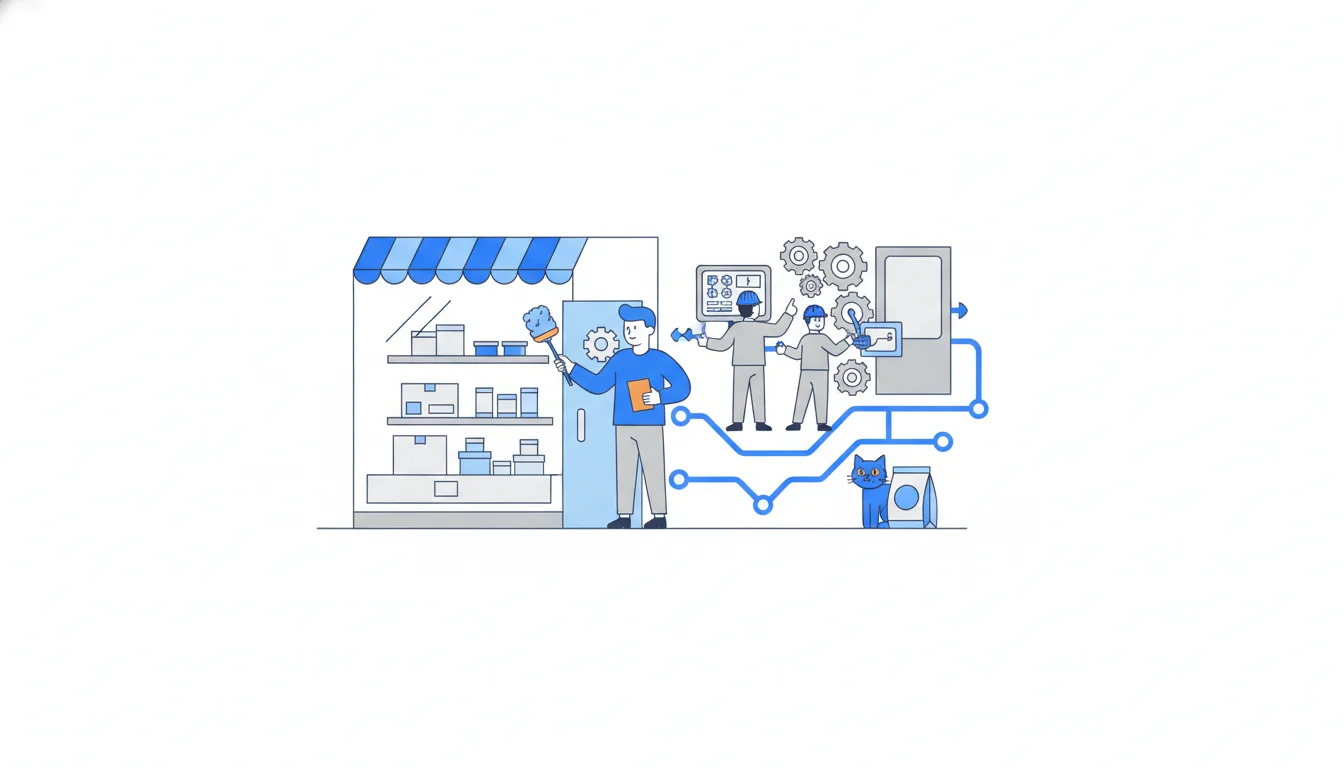
What a PM edits, and what stays with engineers
Support has forwarded the same customer note three times: CatChow's delivery page says couriers call “30 minutes before arival”. It's text on a page, and page texts belong to the product team, so this one is yours to fix.
Draw the boundary before the first click.
- Copy and docs are safe for a PM to edit: page texts in
.mdfiles, FAQ answers, the README, issue templates in.github/ISSUE_TEMPLATE/. They are words for people. - Code and config stay with engineers: components such as
CheckoutButton.tsx, settings such asconfig/prices.json, anything in.github/workflows/. They change how the site behaves. One missing comma in a config file can stop the whole site from building.
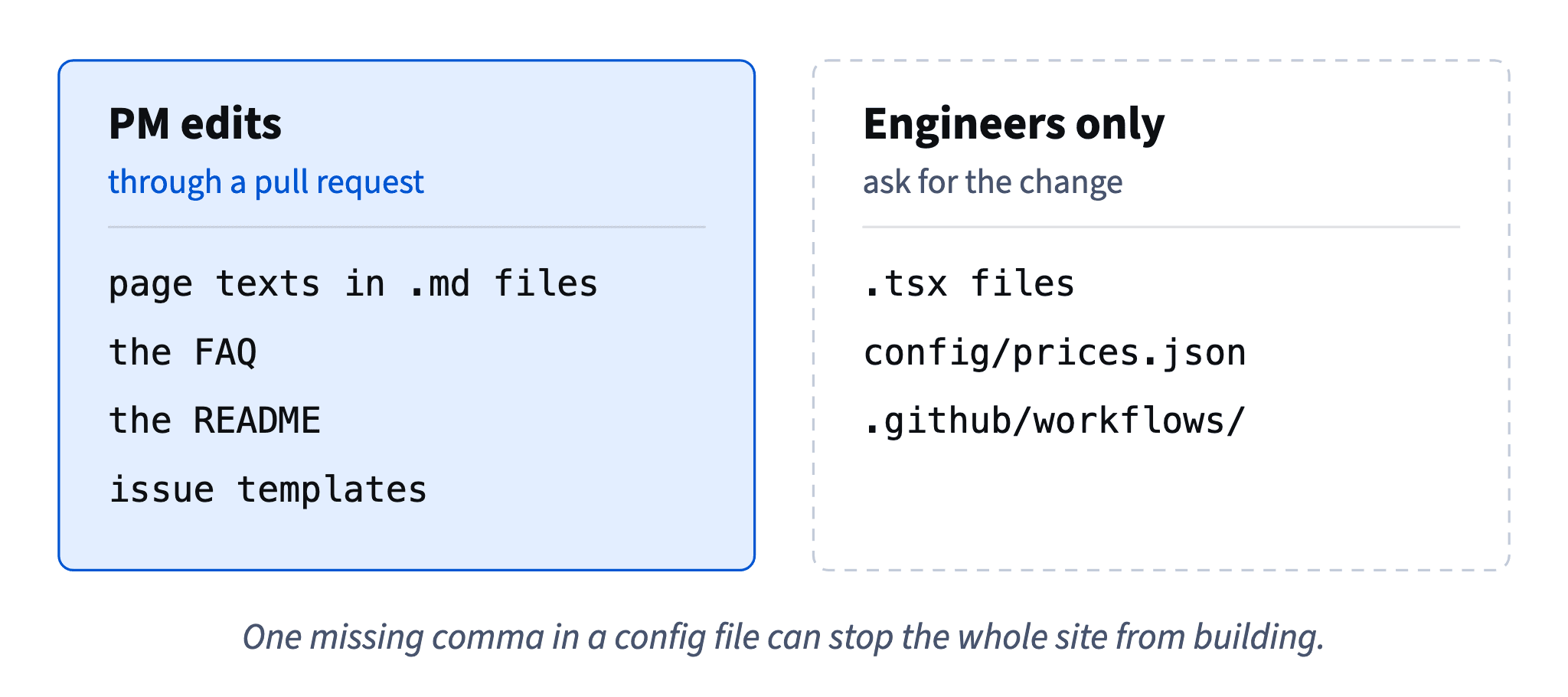
A price in a config file looks like “just a number”, but the code reads it at checkout. Ask for the change in an issue; an engineer makes it with tests and a review.
Either way, nothing skips the usual path. Even a one-word fix goes through a pull request, with checks and a reviewer.
- DoFix the typo in
pages/delivery.mdyourself, through a pull request that Daniel reviews.Words for people, with a review.
- Don'tChange
freeDeliveryFrominconfig/prices.jsonin the browser because “it's just a number”.The checkout reads it; ask an engineer to change it with tests.
Find the file, open the web editor
Everything happens in the browser.
- On the repository page, in the
Codetab, open thepagesfolder, thendelivery.md. Or presstand type “delivery” to find the file by name. - Check the branch selector above the file: it says
main, the version that is live. - At the top right of the file, press the pencil icon,
Edit this fileas of 2026. GitHub's web editor opens right in the tab. - Fix the word, then open the
Previewtab to see the text as it will look on the page, not as raw Markdown.
Nothing is saved while you type, and nothing can break. Until you press Commit changes…, the editor is only a draft in your browser tab; no branch and no commit exist yet. Close the tab, and the edit is gone.
When you look at the change, remember how Git shows it: one word changed, yet the diff shows the whole line twice, the old version removed with - and the new one added with +.
- DoFix “arival”, then check the courier note in
Previewbefore committing.See what customers will see.
- Don'tWorry that each keystroke in the editor is already changing the live page.
Nothing exists until you commit.
Why the commit goes to a new branch
Press the green Commit changes… button, and a dialog asks where the commit goes. In a repository with no rules, “Commit directly to the main branch” would work, and the change would be live after the next deploy.
CatChow's main has branch protection: changes reach it only through a pull request, with one approving review and passing checks (build, test). So the direct option isn't open to you, and you pick “Create a new branch for this commit and start a pull request”. Your account can create commits; it just can't put them straight into main.
The pull request then follows the same rules as an engineer's. One of them surprises people: you can't approve your own pull request. GitHub doesn't let authors approve, so “one approving review” always means someone else has looked.
Timing is not the reason either. At CatChow every merge into main is deployed within minutes; the weekly release only labels a version. A typo fix doesn't wait for Thursday, it waits for a reviewer.
- Do“Create a new branch for this commit and start a pull request”, then ask Daniel to review.
The protected path into
main. - Don'tApprove your own pull request to save Daniel the time.
GitHub doesn't allow it, and the point of review is a second pair of eyes.
The commit dialog: message, branch, Propose changes
The Commit changes… dialog asks for three things.
A commit message. GitHub pre-fills “Update delivery.md”. It's true and useless: in a history of two thousand commits it tells nobody what happened. Say what changed, in a few words: “Fix typo in courier note”. An optional extended description below it can add the why.
Where the commit goes. With main protected, choose “Create a new branch for this commit and start a pull request”.
A branch name. GitHub suggests something like catchow-sofia-patch-1, built from the username. It works, but rename it to the team's habit, content/… for copy and fix/… for bugs: content/delivery-typo. A good name tells the board and the reviewer what's inside before anyone opens it.
Then press Propose changes. The commit lands on the new branch, and main hasn't changed at all. Nothing is live, nothing is reviewed yet, and GitHub moves you straight to opening the pull request.
- DoMessage “Fix typo in courier note”, branch
content/delivery-typo.Says what changed and follows the team's naming.
- Don'tMessage “Update delivery.md”, branch
catchow-sofia-patch-1.True, and tells nobody anything a month later.
From pull request to the live page
Propose changes leads to “Open a pull request”: base main, compare content/delivery-typo. The title comes from the commit message; the description is yours. Keep it short and useful: what (fixes “arival” on the delivery page), why (support forwarded it three times), how to test (open the preview and read the courier note) and who reviews (Daniel).
Press Create pull request. It becomes #168, and the checks start at once: build, test, and preview with its own link to the changed page.
Fix courier typo and mention loyalty points#168
Squash-merged into main by Sofia · branch content/delivery-typo deleted
Daniel
Approved
build
test
preview
deploy (production)
Finished four minutes after the merge
The branch stays open for more work. If someone asks for one more edit to the same file, open it on content/delivery-typo and commit straight to that branch; the pull request picks up the new commit by itself. Update the title if the scope changed.
When the checks are green and the reviewer approves, press Squash and merge: the branch's commits become one commit on main, and the branch can be deleted. The deploy finishes a few minutes later. The last step is yours: open the live page and read the line yourself.
- DoDescription: “What: fixes ‘arival’ on the delivery page. Why: support forwarded it three times. Test: open the preview, read the courier note. Reviewer: Daniel.”
A reviewer knows what to look at in ten seconds.
- Don'tMerge, close the tab and never open the live page.
The change isn't done until you've seen it live.
Merged and deployed means shown
Ten minutes after the merge, support writes again. At the request of Emma, the content marketer, #168 also added a line: “Earn loyalty points on every order and spend them at checkout”. A customer read that line on the delivery page and asks where to find her points. She can't: loyalty points are still switched off for customers.
A feature flag hides only the parts of the site that check it. Emma's programme page checks loyalty-points, because Daniel built that check into #157. The balance and checkout code check it too. A sentence in pages/delivery.md has no check around it, so once it was merged and deployed, every visitor saw it.
It's the same mistake as Daniel's menu link before v1.4.1: the feature was hidden, but one way into it wasn't. And the review missed it, because the reviewer read the diff for typos, not for promises.
So when you edit copy around a hidden feature, ask one extra question before merging: does this text mention anything customers can't use yet? If it does, the text waits for the launch, in its own pull request. Squash merging, deploys and release pages don't touch flags at all.
- DoBefore merging copy: “Does this line mention anything still behind a flag?”
One question catches the leak.
- Don't“Loyalty is flagged off, so any text about it is hidden too.”
Only the parts that check the flag are hidden.
What a revert does
To take back a merged pull request, open it: at the bottom of Conversation, next to the note that it was merged, there's a Revert button, as of 2026.
A revert deletes nothing. It's a new commit that does the exact opposite of a merged one. GitHub creates a branch, revert-168-content/delivery-typo, with one commit that undoes #168, and prepares a pull request for it, #169. That pull request follows the same rules as any other: checks and one approval. Undoing a change is still a change.
Once #169 is merged and deployed, Emma's loyalty line, added to #168 before the merge, is gone, and so is the typo fix: “arival” is back. #168 became one squash commit holding both changes, and a revert undoes the whole commit, never half of it.
A revert undoes exactly that commit and nothing after it. Later changes stay live. History keeps everything: the original commit, the revert, who did what and when, and #168 still shows Merged. On the command line the same idea is git revert <commit>, which adds a new commit instead of rewriting history.
c3f7a05Show points balance in the account (#166)v1.5.08d2b6e9Write loyalty programme page (#157)5e9a1b4Fix typo in courier note1a7c4f2Mention loyalty points on delivery pagecontent/delivery-typof3c8d21Fix courier typo and mention loyalty points (#168)a6b0e53Revert "Fix courier typo and mention loyalty points"revert-168-content/delivery-typod7e2f48Revert "Fix courier typo and mention loyalty points" (#169)main
Commit graph, oldest first: The change and its revert on main 1. commit c3f7a05 on main "Show points balance in the account (#166)", tagged v1.5.0 2. commit 8d2b6e9 on main "Write loyalty programme page (#157)" 3. branch content/delivery-typo starts from commit 8d2b6e9 4. commit 5e9a1b4 on content/delivery-typo "Fix typo in courier note" 5. commit 1a7c4f2 on content/delivery-typo "Mention loyalty points on delivery page" 6. commit f3c8d21: content/delivery-typo squash-merged into main "Fix courier typo and mention loyalty points (#168)" 7. branch revert-168-content/delivery-typo starts from commit f3c8d21 8. commit a6b0e53 on revert-168-content/delivery-typo "Revert "Fix courier typo and mention loyalty points"" 9. commit d7e2f48: revert-168-content/delivery-typo squash-merged into main "Revert "Fix courier typo and mention loyalty points" (#169)" (highlighted)
- DoPress
Reverton #168, get #169 reviewed and merged like any other pull request.A new commit that undoes the old one; history stays complete.
- Don'tExpect a revert of #168 to keep the typo fix and drop only the loyalty line.
A squash commit is undone as a whole.
Revert or fix forward?
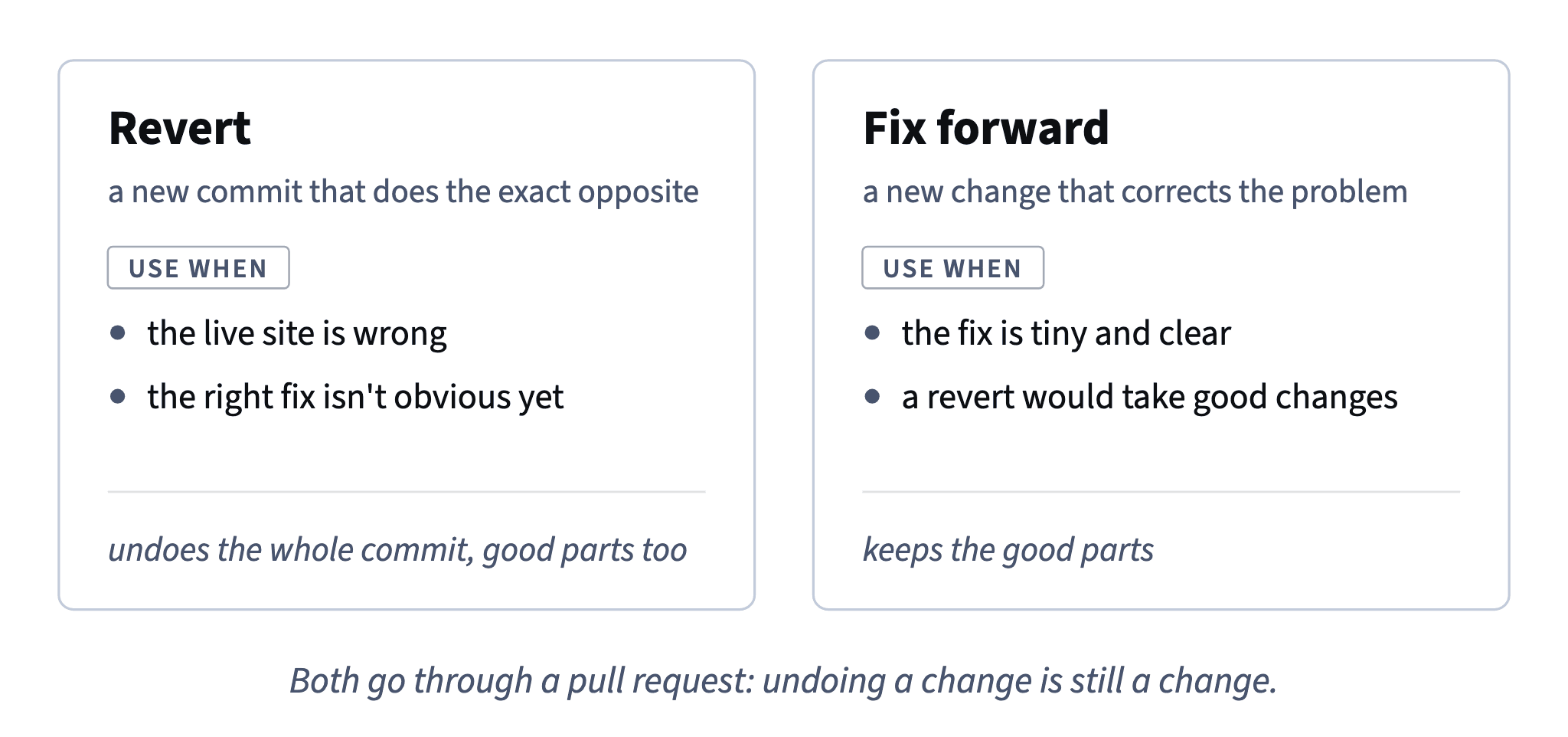
You could also have deleted the loyalty line in a new pull request. That's fixing forward: a new change that corrects the problem, and it would have kept the typo fix.
- Revert when the live site is wrong and you want the last known good version back now, especially when the right fix isn't obvious yet: a broken checkout with an unclear cause, a banner with dates still being confirmed.
- Fix forward when the fix is tiny and clear (one wrong number in an FAQ answer), or when a revert would take good changes with it (five good changes and one copy slip).
Two limits. The Revert button doesn't always work: if later changes touched the same lines, GitHub can't build the revert on its own, and an engineer does it by hand. And reverting code doesn't undo what already happened. If a bug gave customers wrong points, a revert stops new ones, but fixing their balances needs a plan, not a button.
Here the line was a promise CatChow couldn't keep yet, and the typo was harmless for another hour. Reverting first was right.
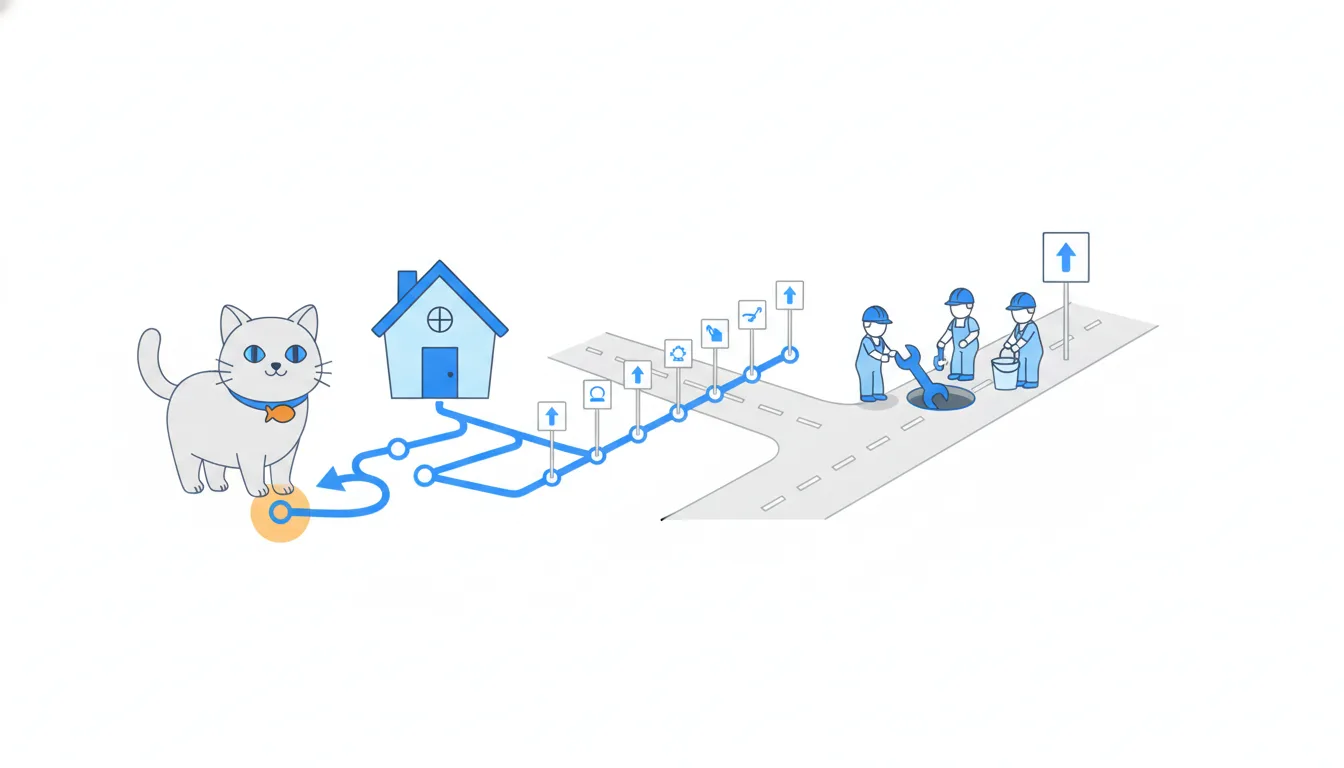
- DoCheckout broke after the last merge and nobody knows why yet: revert now, investigate after.
Last known good version first.
- Don'tRevert a big pull request with five good changes because of one wrong word.
Fix the word forward instead.
- Don't“We reverted the points bug, so customers' balances are fine again.”
A revert stops new damage; it doesn't repair what already happened.
One change, one pull request
#168 mixed two changes that had nothing in common except the file: a typo fix that could go live at once, and a loyalty line that had to wait for the launch. Squashed into one commit, they could only be reverted together.
So the clean-up is two pull requests:
- #170, branch
content/courier-typo, one commit “Fix typo in courier note”, the same title. Only the typo. Daniel approves it within minutes. - Emma's line gets its own pull request, ready to merge on 10 November, the morning the flag goes on for everyone.
The rule behind it: one change, one pull request. Each can then be reviewed on its own, merged when it's ready and reverted without taking anything else along. When someone asks for “one more line” in your open pull request, ask whether it belongs to the same change.
And tell people what happened. Emma asked for her line in good faith and will want it back in six days: two or three sentences in the team chat on why it came down, what's live now and when it returns save her a worried hour.
- Do#170 “Fix typo in courier note” now; Emma's line in its own pull request for 10 November.
Each change merges and reverts on its own.
- Don't“While you're in there, could you also add the loyalty line?” — and it goes into the same pull request.
Unrelated changes become one commit you can't split later.
Ready to practise?
Answer the lesson's exercises and earn 250 points the first time you finish it.
Start the exercises