

Theory
Git branches: parallel versions of the project
What a Git branch is, why work happens on short-lived branches next to main, and how to read branches on GitHub: the branch selector, ahead and behind, stale branches, naming conventions and graphs with several lanes.
~12 min read · 11 exercises · 250 points
Before you start
Meet Daniel
Back on CatChow's product team, where you meet Daniel, one of the website's developers. In March he redesigned the checkout button and, briefly, broke it. You want to know how a week of his work never reached the site, and then suddenly did.
This module is about how changes travel. In this first lesson you'll learn what a branch is, why work happens on short-lived branches next to main, and how to read them on GitHub.
What a branch is
In March Daniel, a CatChow web developer, redesigned the checkout button. He spent a week on a separate branch, feature/checkout-redesign, and all that week the live site stayed exactly as it was. Nothing reached customers until the branch was merged into main.
A branch is a parallel version of the project: its own line of commits. Work on it can be unfinished, experimental or even broken, and main doesn't notice. That's what lets several people work at once without stepping on each other or on the live site.
main is a branch too: the default branch. GitHub opens it first, and at CatChow it's the version that gets deployed to the site. In older repositories it's often called master.
So the rule of thumb for a PM: the site shows main. A commit on fix/checkout-button is real work, visible on GitHub to anyone who switches to that branch, but customers won't see it until it's merged into main and deployed.
- Do"The fix is on its branch; customers will see it after the merge into
main." - Don't"I can see Daniel's commits on GitHub, so the site is fixed."
Visible on a branch isn't live.
A branch is a name that moves
Creating a branch sounds heavy, as if Git copied the whole project. It doesn't. A branch is just a name that points at one commit, the newest on its line. When someone adds a commit to the branch, the name moves forward to it. That's why creating a branch is instant and costs nothing.
Compare it with a tag from module 1. A tag such as v2.4.0 stays on its commit forever, because a version must never change. A branch name keeps moving as long as people commit to it.
Daniel started fix/checkout-button from the latest commit on main, "Update FAQ answers". From then on each of his commits moved the name one step further: first "Reproduce bug in a test", then "Re-enable button after cart edits".
e7c3b19Add summer promo bannerf02a6d4Update FAQ answers3a9d1c4Reproduce bug in a test8be2f70Add cat treats bundlemainb7e4a05Re-enable button after cart editsfix/checkout-button
Commit graph, oldest first: main and the branch fix/checkout-button 1. commit e7c3b19 on main "Add summer promo banner" 2. commit f02a6d4 on main "Update FAQ answers" 3. branch fix/checkout-button starts from commit f02a6d4 4. commit 3a9d1c4 on fix/checkout-button "Reproduce bug in a test" 5. commit 8be2f70 on main "Add cat treats bundle" 6. commit b7e4a05 on fix/checkout-button "Re-enable button after cart edits" (highlighted)
In a terminal, git switch -c fix/checkout-button creates a branch at the current commit and switches to it; on GitHub you can create one from the branch selector by typing a new name. Either way, nothing is copied: a new name appears, and the work starts from there.
- Do
git switch -c fix/checkout-button→ a new name at the current commitInstant; no files are copied.
- Don'tUse a branch to mark a release, like
release-2.4-finalThe name will move with the next commit. Releases get tags.
What a branch contains
A branch isn't only its own commits. It carries the whole history up to the commit it started from, plus everything added on it since.
Take feature/gift-wrap, started from commit m2 on main:
- m1 "Add reviews block" and m2 "Fix rating stars" came before the start, so the branch has them;
- g1 "Add gift wrap option" and g2 "Add gift wrap price" are the branch's own commits;
- m3 "Update footer links" landed on
mainafter the branch started, so the branch doesn't have it.
main doesn't wait while someone works on a branch. Other changes keep landing there, and after a while the two lines differ in both directions: the branch has work main lacks, and main has work the branch lacks.
When you switch the branch selector to feature/gift-wrap, the history you see is exactly m1, m2, g1, g2. To read a graph like this, trace the branch line back to where it curves out of main: everything above that point is shared, everything on the curve belongs to the branch.
- DoTrace the branch back to where it curves out of
main; everything before that point is in the branch. - Don'tAssume a branch automatically gets every new commit from
main.Commits that land on
mainlater aren't in the branch until someone brings them in.
Switching branches on GitHub
On the repository page, click the branch selector, the button that says main. It lists the branches, and its search field filters them by name. Pick fix/checkout-button and you see the project as it exists on that branch: the files may look the same, but the latest commit bar now says "Re-enable button after cart edits".
Switching only changes what you see. It edits nothing, so it's always safe.
The address changes too. For a folder it contains /tree/<branch>/, for a file /blob/<branch>/. So a link like .../blob/feature/subscription/config/prices.json shows the prices file on the feature/subscription branch. If it says delivery costs 69 UAH, that's a proposal on a branch, not the price customers pay. The site will change only if that branch is merged into main.
This is a classic trap for non-engineers: someone sends a link to a file on a branch, and it gets quoted as "what the site says". Always check the branch in the selector or in the address before you repeat a number.
- Do
/blob/feature/subscription/in the link → "on that branch it's 69 UAH; live is stillmain" - Don'tForward a branch link to marketing as "the new delivery price"
It's a proposal until it's merged.
Ahead and behind
Under the branch selector GitHub adds a hint such as "This branch is 2 commits ahead of, 1 commit behind main". Both numbers compare the branch with the default branch:
- Ahead: commits the branch has and
maindoesn't. That's the work waiting to be merged. - Behind: commits
mainhas and the branch doesn't. That's how farmainhas moved on without the branch. - Commits made before the branch started are shared and count for neither.
Example: feature/subscription started after c2. It has s1, s2, s3 of its own, and main has since gained c3 and c4. So it's 3 ahead, 2 behind.
For a PM both numbers mean something. A big ahead number is a large change someone will have to review. A big behind number means the branch was built on an old version of the project, so surprises are likely when it meets today's main. Behind isn't a disaster: the developer can bring fresh main into the branch at any time, for example with git merge main while on the branch. But the longer they wait, the more surprises pile up.
- Do"12 ahead, 86 behind, last update 5 months ago: is this still planned?"
The numbers turn into a product question.
- Don'tCount the shared commits before the branch point as "ahead"
Shared commits count for neither number.
The branches page, active and stale
Next to the branch selector there's a branch counter. Click it, or View all branches inside the selector, and you get the branches page: every branch with its last update, its behind and ahead numbers and its pull request, if there is one.
The page sorts branches into tabs. Active holds branches with recent commits. Stale holds branches nobody has committed to for about three months. So a branch last touched 4 or 7 months ago is stale; one touched 2 days, 3 weeks or 2 months ago is still active.
At CatChow the list tells a story. content/delivery-copy shows that Emma, the content marketer, now keeps her texts in the repository. And feature/loyalty-points is 12 ahead, 86 behind and untouched for five months: officially paused, honestly abandoned, and painful to merge now.
main
Default branch. Updated yesterday
feature/free-delivery-1000
Updated 3 hours ago · 0 behind, 3 ahead
fix/checkout-button
Updated yesterday · 1 behind, 2 ahead
content/delivery-copy
Updated last week · 2 behind, 1 ahead
feature/loyalty-points
Updated 5 months ago · 86 behind, 12 ahead
For a PM a stale branch is a question worth asking: is this work still planned? If yes, someone needs to update it before it drifts further. If not, the team can delete the branch and close the topic, which keeps the list readable for everyone.
- DoAsk the owner of a stale branch whether the work is still planned
- Don'tTreat every branch in the list as work in progress for the roadmap
Stale branches are often abandoned.
What a branch name tells you
Branch names at CatChow follow a pattern: fix/, feature/, content/. That's not a GitHub or Git rule, it's a team habit. Git itself allows almost any name. The habit is useful because you can guess the kind of work before you open the branch.
The usual shape is prefix/description, in lowercase, with hyphens instead of spaces:
fix/cart-total-rounding: a bug fix;feature/gift-cards: new functionality;docs/setup-guide: documentation, not the site itself;content/delivery-copy: texts.
You'll meet other styles too: an issue number up front, like 142-delivery-map (work on issue #142), or the author's name, like daniel/checkout-button. Some names are generated by GitHub itself: revert-97-feature/checkout-redesign was created by the Revert button to undo pull request #97.
Two more prefixes, hotfix/ and release/, belong to a workflow called git flow, which module 4 compares with CatChow's simpler one.
- Do
feature/gift-cards→ "new functionality: gift cards" - Don't"
revert-97-…is someone's experiment."GitHub's
Revertbutton generated it to undo PR #97.
Naming a branch well
A good branch name answers two questions at a glance: what kind of work and what it's about. The prefix gives the kind (fix/, feature/, content/, docs/), and a few words after it give the topic.
Keep the description short and specific: fix/promo-code-spaces rather than fix/bug or fix/the-promo-code-field-on-checkout-rejects-codes-with-spaces. Use lowercase and hyphens; spaces aren't allowed in Git branch names at all, and capitals cause confusion on some computers.
Pick the prefix by the nature of the change, not its importance. A bug in an existing field is a fix even if it's urgent; a new option for customers is a feature. If the team links branches to issues, the number goes first: 151-promo-code-spaces.
Why should a PM care? Branch names appear in pull requests, on the branches page and in links people send you. When they follow one habit, you can scan a list of twenty branches and know what's in flight without opening any of them.
- Do
fix/promo-code-spacesKind plus topic, lowercase, hyphens.
- Don't
daniel-stuffSays who, not what.
- Don't
feature/promo-code-spacesfor a bugThe prefix should match the kind of work.
A short life and a quiet end
Healthy branches live for days, not months. One branch, one task: start from fresh main, make a few commits, open a pull request, merge, delete.
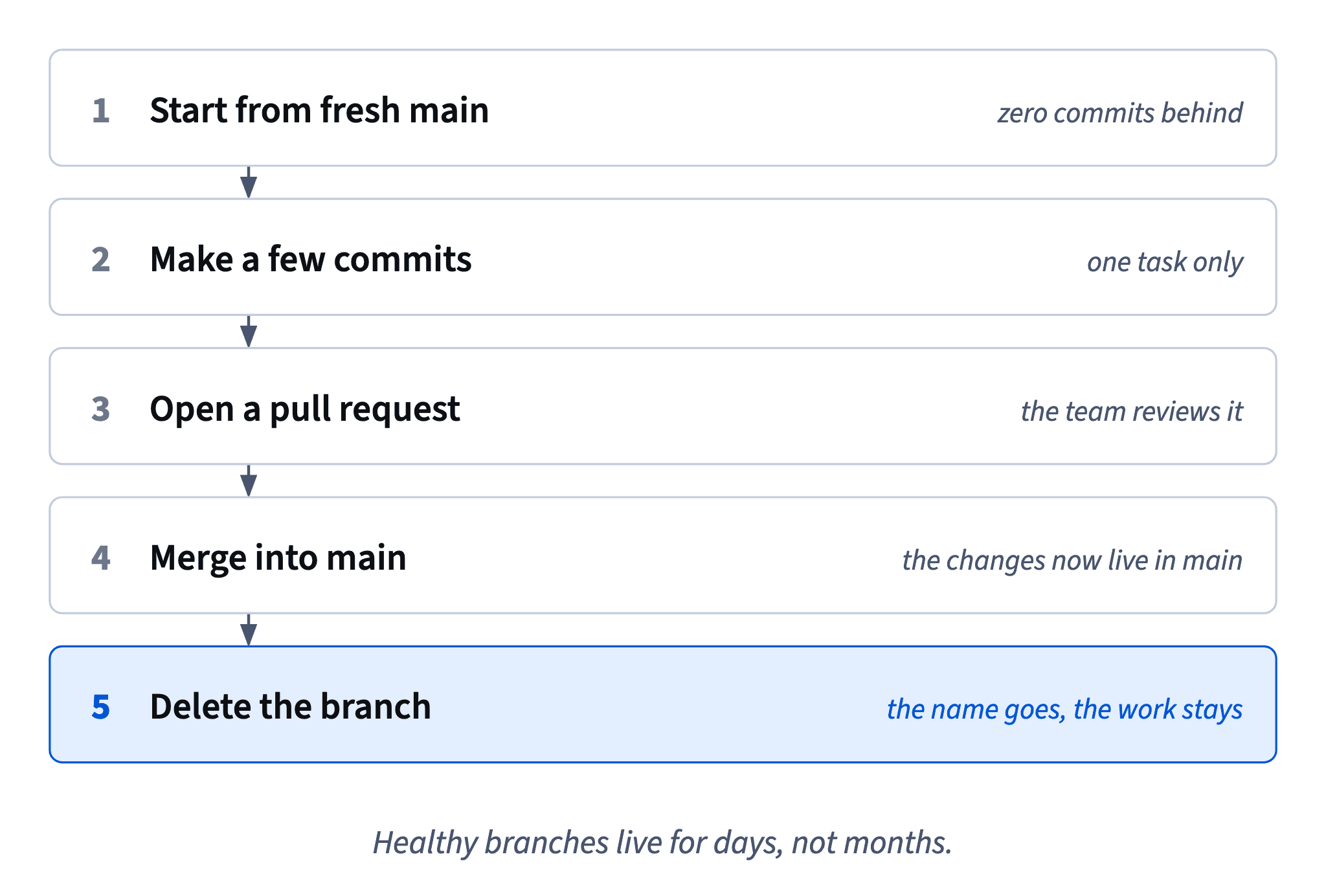
"Delete" worries people after all that work, but deleting a branch removes the name, not the work. Once the changes are merged, they live in main's history. The branch name was only a pointer, and its task is done.
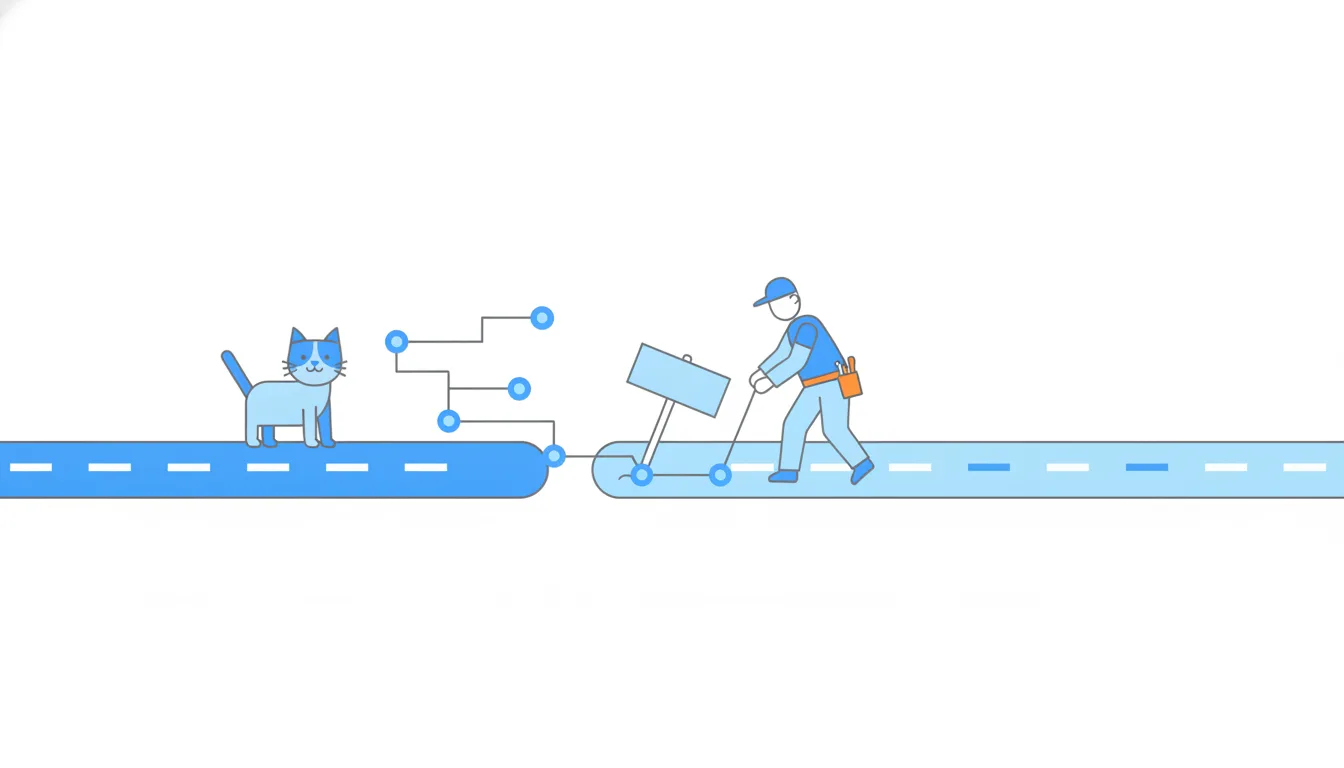
After a merge GitHub offers a Delete branch button on the pull request page. If someone needs the branch back, the same page has Restore branch. Many teams switch on automatic deletion of merged branches in the repository settings, as CatChow did; otherwise the branch list turns into an attic. Engineers do the same in a terminal with git branch -d fix/footer-links, which refuses to delete a branch whose work isn't merged yet.
Short branches are also safer. The less time a branch spends away from main, the fewer surprises when it comes back, and the smaller the pull request someone has to review.
- DoMerge the pull request, then
Delete branchThe work stays in
main; the list stays tidy. - Don'tKeep one branch open for months and add every new task to it
It drifts behind
mainand becomes painful to merge.
Why "behind" deserves a glance
Here's how Daniel broke checkout in March. He branched off main, made three commits and tested everything on his branch. Meanwhile a colleague's cookie notice bar was merged into main. His branch was one commit behind, and he never looked.
4d2a8e1Add order tracking link61b9f3cNew checkout button stylesd18e6a0Add cookie notice bar (#95)main92c4b1fMove button to sticky footer0a7f5e3Update button textsfeature/checkout-redesign
Commit graph, oldest first: March: the checkout redesign before the merge 1. commit 4d2a8e1 on main "Add order tracking link" 2. branch feature/checkout-redesign starts from commit 4d2a8e1 3. commit 61b9f3c on feature/checkout-redesign "New checkout button styles" 4. commit d18e6a0 on main "Add cookie notice bar (#95)" (highlighted) 5. commit 92c4b1f on feature/checkout-redesign "Move button to sticky footer" 6. commit 0a7f5e3 on feature/checkout-redesign "Update button texts"
So he tested a version of the site with his new button but without the cookie bar. After the merge main had both for the first time. On phones the bar sat right on top of the button, nobody could tap it, and ten minutes later the team reverted the merge.
Git raised no objection, because the two branches changed different files. Git only stops a merge when two branches change the same lines; it can't know that two separate changes clash on a phone screen.
Two lessons follow. Check behind before a merge and bring fresh main into the branch, then test again. And keep branches short-lived, so there's less of main to miss. The redesign went back in a few days later from an updated branch, and it has worked ever since.
- Do"1 behind? Bring in fresh
mainand test on a phone before merging." - Don't"Git didn't complain, so the merge is safe."
Git only catches clashes on the same lines.
Ready to practise?
Answer the lesson's exercises and earn 250 points the first time you finish it.
Start the exercises